ZPLコマンドリファレンス&チートシート
ZPLCraft2026年9月6日 更新
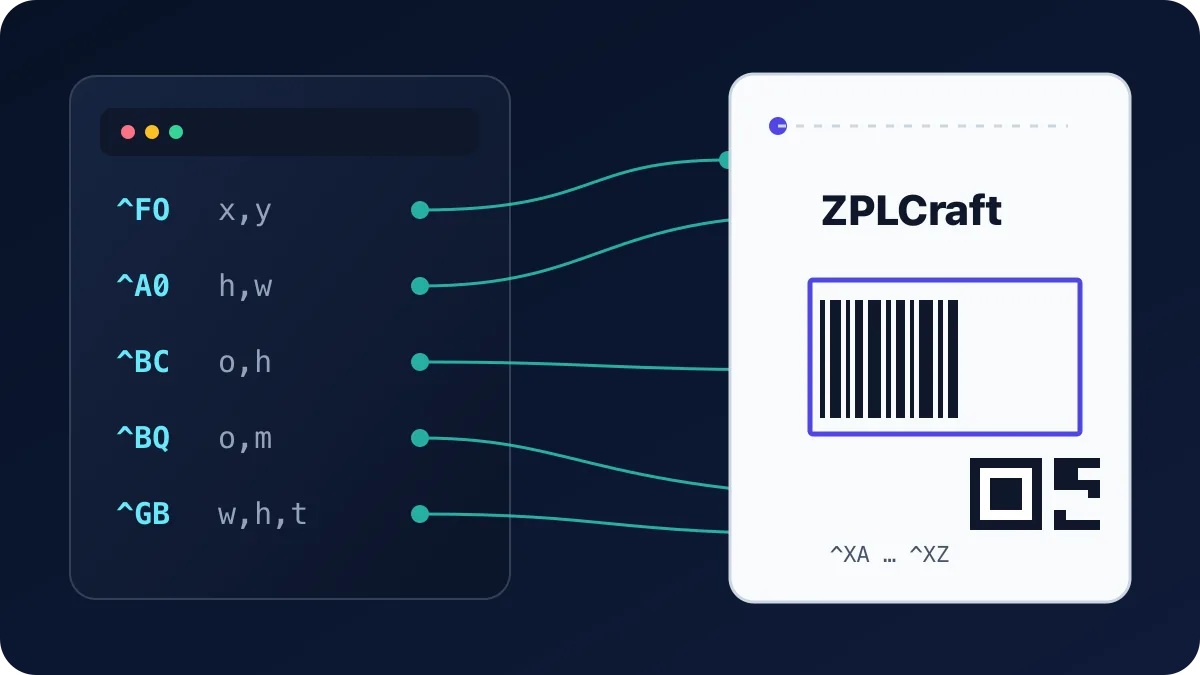
これは、フォーマット構造、テキスト、フォント、バーコード、グラフィック、プリンター制御でよく使われるZPL IIコマンドの実用リファレンスです。すべての位置とサイズは プリンタードット で表します(203 dpi = 8ドット/mm — 詳細は ZPLとは? を参照)。構文列のパラメーターは:x,y = 左上角からの位置、 h,w = 高さと幅、o = 向き(N 正立、R 90°、I 180°、B 270°)。
ラベルフォーマット
| コマンド | 構文 | 機能 |
|---|---|---|
^XA | ^XA | ラベルフォーマットの開始。すべてのラベルはこのコマンドで始まります。 |
^XZ | ^XZ | ラベルフォーマットの終了。プリンターはこのコマンドを受け取るとラベルをレンダリングして印刷します。 |
^FX | ^FXcomment | コメント — プリンターに無視されます。他のフィールドと同様に ^FS で終了します。 |
^PW | ^PWwidth | 印刷幅(ドット)。フィールドが切り取られないよう、ラベルの幅に設定してください。 |
^LL | ^LLlength | ラベル長(ドット)。主に連続媒体(ギャップなし)に必要です。 |
^LH | ^LHx,y | ラベルホーム — 以降のすべての ^FO 位置の原点をシフトします。 |
^PQ | ^PQqty | 印刷枚数 — このラベルを何枚印刷するか。 |
^PR | ^PRspeed | 印刷速度(インチ/秒)。低速の方が濃く鮮明に印刷されることが多いです。 |
^MD | ^MDdarkness | 媒体の暗さ調整(-30〜30)。印刷が薄い場合は値を上げてください。 |
フィールドとテキスト
| コマンド | 構文 | 機能 |
|---|---|---|
^FO | ^FOx,y | フィールド原点 — 次のフィールドをラベルホームから x,y ドットの位置に配置します。 |
^FD | ^FDdata | フィールドデータ — 現在のフィールドのコンテンツ(テキストまたはバーコードデータ)。 |
^FS | ^FS | フィールドセパレーター — 現在のフィールドを閉じます。各フィールドの後に必要です。 |
^FB | ^FBwidth,lines,space,align | フィールドブロック — ^FD テキストをブロックに折り返します:最大幅・最大行数・行間隔・配置(L/C/R/J)。 |
^FR | ^FR | フィールド反転 — 黒い領域と重なる部分に白黒反転でフィールドを印刷します。 |
^FH | ^FH | フィールド16進数 — ^FD 内での _xx 16進エスケープを許可します(例:é には _C3_A9)。 |
^CI | ^CIencoding | 文字セット。^CI28 は UTF-8 を選択します。ASCII以外のテキストには推奨です。 |
フォント
| コマンド | 構文 | 機能 |
|---|---|---|
^A | ^Afo,h,w | 次のフィールドのフォント:フォント文字 f(0〜9、A〜Z)・向き・高さ・幅(ドット)。^A0N,40,40 はデフォルトのスケーラブルフォント(40ドット)です。 |
^CF | ^CFf,h,w | ^A を設定しない後続のすべてのフィールドのデフォルトフォントを変更します。 |
^A@ | ^A@o,h,w,name | プリンターに保存されているフォントファイル(例:ダウンロードしたTrueType)を使用します。 |
フォント 0 はスケーラブルベクターフォントで通常の選択肢です。フォント A–H は固定サイズのビットマップフォントで、ネイティブサイズまたはその整数倍でのみ見栄えが良くなります。
バーコード
| コマンド | 構文 | 機能 |
|---|---|---|
^BY | ^BYw,r,h | バーコードフィールドのデフォルト:モジュール(細バー)幅(ドット)・広狭比・デフォルト高さ。バーコードコマンドの前に設定します。 |
^BC | ^BCo,h,f,g,e,m | Code 128 — 配送・物流の主力1Dバーコード。f=Y で人間が読める行を印刷、g=Y でコードの上に印刷。 |
^B3 | ^B3o,e,h,f,g | Code 39 — 一部の産業・防衛規格で依然要求される古い1Dシンボル。 |
^BE | ^BEo,h,f,g | EAN-13 小売バーコード(UPC-Aには ^BU を使用)。 |
^BQ | ^BQa,model,mag,ec | QRコード。倍率1〜10でモジュールサイズを設定、ec で誤り訂正レベルを設定(H/Q/M/L)。データの前にエンコードモードを付けます(例:^FDQA,https://…)。 |
^BX | ^BXo,h,s,c,r,f | Data Matrix — 電子機器・医療ラベルによく使われるコンパクトな2Dコード。 |
^B7 | ^B7o,h,m,c,r,t | PDF417 — IDや一部の物流書類に使われるスタック型2Dコード。 |
バーコードの寸法はシンボロジーによって異なります。^BYでモジュール幅、比率、高さを設定し、最小寸法とクワイエットゾーンについては、該当するシンボロジー、運送業者、業界の仕様に従ってください。プレビューは、本番用スキャナーと媒体による実物印刷の検証に代わるものではありません。
グラフィック
| コマンド | 構文 | 機能 |
|---|---|---|
^GB | ^GBw,h,t,c,r | グラフィックボックス:幅・高さ・枠の太さ・色(B/W)・角の丸み0〜8。細い ^GB でラインを描画します。 |
^GC | ^GCd,t,c | 直径 d・枠の太さ t のグラフィック円。 |
^GD | ^GDw,h,t,c,o | w×h ボックス内の斜線:o で向き(L または R)を設定。 |
^GF | ^GFa,b,c,d,data | グラフィックフィールド — ビットマップ(例:ロゴ)を16進またはバイナリデータとしてラベルに直接埋め込みます。 |
~DG | ~DGd:name,t,w,data | グラフィックのダウンロード — プリンターに画像を保存し、^XG で配置します。 |
^XG | ^XGd:name,mx,my | 保存されているグラフィックを現在のフィールド原点に x/y 倍率で呼び出します。 |
プリンター制御とステータス
| コマンド | 構文 | 機能 |
|---|---|---|
~HS | ~HS | ホストステータス — プリンターが用紙切れ・一時停止・バッファ・オドメーター情報を返します。 |
~HI | ~HI | ホスト識別情報 — モデル・ファームウェアバージョン・DPI・メモリ。 |
^MM | ^MMmode | 印刷モード:T ティアオフ、P ピールオフ、R リワインド、C カッター。 |
^MN | ^MNtype | 媒体追跡:Y ギャップ/ウェブ感知、M ブラックマーク、N 連続。 |
~JC | ~JC | 媒体キャリブレーションを実行(プリンターが数枚送ってギャップを検出します)。 |
~JA | ~JA | プリンターバッファ内のすべてのラベルフォーマットをキャンセルします。 |
^JUS | ^JUS | 現在の設定をフラッシュに保存し、電源サイクル後も維持します。 |
すべてのZPLコマンド
テキストとフォント
^A Scalable/Bitmapped Font
^Afo,h,w
プレビューはパラメーターとリソースによって異なります。制限はソースの横に表示されます。
Built-in fonts use published cell metrics with bundled replacement outlines; their glyph shapes can differ from printer firmware. N/J/L use local Noto fonts. Embedded TrueType fonts load locally; fonts stored only on a printer are unavailable.
f- Font identifier
o- Orientation
h- Character height in dots
w- Character width in dots
^A0 Scalable Font 0
^A0o,h,w
プレビューはパラメーターとリソースによって異なります。制限はソースの横に表示されます。
Built-in fonts use published cell metrics with bundled replacement outlines; their glyph shapes can differ from printer firmware. N/J/L use local Noto fonts. Embedded TrueType fonts load locally; fonts stored only on a printer are unavailable.
o- Orientation
h- Character height in dots
w- Character width in dots
^A@ Use Font Name to Call Font
^A@o,h,w,d:f.x
プレビューはパラメーターとリソースによって異なります。制限はソースの横に表示されます。
Built-in fonts use published cell metrics with bundled replacement outlines; their glyph shapes can differ from printer firmware. N/J/L use local Noto fonts. Embedded TrueType fonts load locally; fonts stored only on a printer are unavailable.
o- Orientation
h- Character height in dots
w- Character width in dots
d- Storage device
f- Font filename
x- Filename extension
^CF Change the Alphanumeric Default Font
^CFf,h,w
プレビューはパラメーターとリソースによって異なります。制限はソースの横に表示されます。
Built-in fonts use published cell metrics with bundled replacement outlines; their glyph shapes can differ from printer firmware. N/J/L use local Noto fonts. Embedded TrueType fonts load locally; fonts stored only on a printer are unavailable.
f- specified default font
h- individual character height (in dots)
w- Default character width in dots
^CI Change International Font/Encoding
^CIa,s1,d1,s2,d2,...
プレビューはパラメーターとリソースによって異なります。制限はソースの横に表示されます。
a- Character encoding
s1- First output character
d1- First input character
s2- Second output character
d2- Second input character
^CW Font Identifier
^CWa,d:o.x
プレビューはパラメーターとリソースによって異なります。制限はソースの横に表示されます。
Built-in fonts use published cell metrics with bundled replacement outlines; their glyph shapes can differ from printer firmware. N/J/L use local Noto fonts. Embedded TrueType fonts load locally; fonts stored only on a printer are unavailable.
a- letter of existing font to be substituted, or new font to be added
d- device to store font in (optional)
o- name of the downloaded font to be substituted for the built- in, or as an additional font
x- Font file extension
^FL Font Linking
^FL<ext>,<base>,<link>
プレビューはパラメーターとリソースによって異なります。制限はソースの横に表示されます。
Resources must be defined in this source document. The preview cannot read files from printer memory.
ext- Extension font
base- Base font
link- Link or unlink (1 or 0)
^HT Host Linked Fonts List
^HT
^LF List Font Links
^LF
^PA Advanced Text Properties
^PAa,b,c,d
プレビューはパラメーターとリソースによって異なります。制限はソースの横に表示されます。
Missing-glyph, bidirectional ordering, contextual shaping and OpenType feature switches apply locally. The missing-glyph marker is a consistent hollow box; a custom font’s proprietary .notdef outline may differ.
a- default glyph
b- bidirectional text layout
c- character shaping
d- OpenType table support
^SE Select Encoding Table
^SEd:o.x
このコマンドのローカルプレビューは利用できません。元のZPLは保持されます。
d- location of encoding table
o- name of encoding table
x- Encoding filename extension
^TB Text Blocks
^TBa,b,c
プレビューはパラメーターとリソースによって異なります。制限はソースの横に表示されます。
a- block rotation
b- block width in dots
c- block height in dots
バーコード
^B0 Aztec Barcode Parameters
^B0a,b,c,d,e,f,g
プレビューはパラメーターとリソースによって異なります。制限はソースの横に表示されます。
Single Aztec symbols and runes are rendered. Structured append is not rendered.
a- orientation
b- magnification factor
c- extended channel interpretation code indicator
d- error control and symbol size/type indicator
e- menu symbol indicator
f- number of symbols for structured append
g- optional ID field for structured append
^B1 Code 11 Barcode
^B1o,e,h,f,g
プレビューはパラメーターとリソースによって異なります。制限はソースの横に表示されます。
o- orientation
e- check digit
h- barcode height (in dots)
f- print interpretation line
g- print interpretation line above code
^B2 Interleaved 2 of 5 Bar Code
^B2o,h,f,g,e,j
プレビューはパラメーターとリソースによって異なります。制限はソースの横に表示されます。
o- orientation
h- bar code height (in dots)
f- print interpretation line
g- print interpretation line above code
e- calculate and print Mod 10 check digit
^B3 Code 39 Barcode
^B3o,e,h,f,g
プレビューはパラメーターとリソースによって異なります。制限はソースの横に表示されます。
o- orientation
e- Mod-43 check digit
h- bar code height (in dots)
f- print interpretation line
g- print interpretation line above code
^B4 Code 49 Barcode
^B4o,h,f,m
プレビューはパラメーターとリソースによって異なります。制限はソースの横に表示されます。
o- orientation
h- height multiplier of individual rows
f- print interpretation line
m- starting mode
^B5 Planet Code Barcode
^B5o,h,f,g
プレビューはパラメーターとリソースによって異なります。制限はソースの横に表示されます。
o- orientation code
h- barcode height (in dots)
f- interpretation line
g- determines if the interpretation line is printed above the barcode
^B7 PDF417 Bar Code
^B7o,h,s,c,r,t
プレビューはパラメーターとリソースによって異なります。制限はソースの横に表示されます。
o- orientation
h- bar code height for individual rows (in dots)
s- security level
c- number of data columns to encode
r- number of rows to encode
t- truncate right row indicators and stop pattern
^B8 EAN-8 Barcode
^B8o,h,f,g
プレビューはパラメーターとリソースによって異なります。制限はソースの横に表示されます。
o- orientation
h- bar code height (in dots)
f- print interpretation line
g- print interpretation line above code
^B9 UPC-E Barcode
^B9o,h,f,g,e
プレビューはパラメーターとリソースによって異なります。制限はソースの横に表示されます。
o- orientation
h- barcode height (in dots)
f- print interpretation line
g- print interpretation line above code
e- print check digit
^BA Code 93 Barcode
^BAo,h,f,g,e
プレビューはパラメーターとリソースによって異なります。制限はソースの横に表示されます。
o- orientation
h- bar code height (in dots)
f- print interpretation line
g- print interpretation line above code
e- print check digit
^BB CODABLOCK Barcode
^BBo,h,s,c,r,m
プレビューはパラメーターとリソースによって異なります。制限はソースの横に表示されます。
Codablock F is rendered. Codablock A and E are not rendered.
o- orientation
h- bar code height for individual rows (in dots)
s- security level
c- number of characters per row (data columns)
r- number of rows to encode
m- mode
^BC Code 128 Barcode (Subsets A, B, and C)
^BCo,h,f,g,e,m
プレビューはパラメーターとリソースによって異なります。制限はソースの横に表示されます。
o- orientation
h- barcode height (in dots)
f- print interpretation line
g- print interpretation line above code
e- UCC check digit
m- mode
^BD UPS MaxiCode Bar Code
^BDm,n,t
^BE EAN-13 Barcode
^BEo,h,f,g
プレビューはパラメーターとリソースによって異なります。制限はソースの横に表示されます。
o- orientation
h- barcode height (in dots)
f- print interpretation line
g- print interpretation line above code
^BF MicroPDF417 Barcode
^BFo,h,m
^BI Industrial 2 of 5 Bar Codes
^BIo,h,f,g
プレビューはパラメーターとリソースによって異なります。制限はソースの横に表示されます。
o- orientation
h- bar code height (in dots)
f- print interpretation line
g- print interpretation line above code
^BJ Standard 2 of 5 Bar Code
^BJo,h,f,g
プレビューはパラメーターとリソースによって異なります。制限はソースの横に表示されます。
o- orientation
h- Barcode height (in dots)
f- print interpretation line
g- print interpretation line above code
^BK ANSI Codabar Bar Code
^BKo,e,h,f,g,k,l
プレビューはパラメーターとリソースによって異なります。制限はソースの横に表示されます。
o- orientation
e- check digit
h- Barcode height (in dots)
f- print interpretation line
g- print interpretation line above code
k- designates a start character
l- designates stop character
^BL LOGMARS Barcode
^BLo,h,g
プレビューはパラメーターとリソースによって異なります。制限はソースの横に表示されます。
o- orientation
h- Barcode height (in dots)
g- print interpretation line above code
^BM MSI Bar Code
^BMo,e,h,f,g,e2
プレビューはパラメーターとリソースによって異なります。制限はソースの横に表示されます。
o- orientation
e- check digit selection
h- Barcode height (in dots)
f- print interpretation line
g- print interpretation line above code
e2- inserts check digit into the interpretation line
^BO Aztec Bar Code Parameters
^BOa,b,c,d,e,f,g
プレビューはパラメーターとリソースによって異なります。制限はソースの横に表示されます。
Single Aztec symbols and runes are rendered. Structured append is not rendered.
a- orientation
b- magnification factor
c- extended channel interpretation code indicator
d- error control and symbol size/type indicator
e- menu symbol indicator
f- number of symbols for structured append
g- optional ID field for structured append
^BP Plessey Barcode
^BPo,e,h,f,g
プレビューはパラメーターとリソースによって異なります。制限はソースの横に表示されます。
o- orientation
e- print check digit
h- barcode height (in dots)
f- print interpretation line
g- print interpretation line above code
^BQ QR Code Barcode
^BQa,b,c,d,e
プレビューはパラメーターとリソースによって異なります。制限はソースの横に表示されます。
a- field orientation
b- model
c- magnification factor
d- error correction
e- mask value
^BR GS1 Databar (formerly Reduced Space Symbology)
^BRa,b,c,d,e,f
プレビューはパラメーターとリソースによって異なります。制限はソースの横に表示されます。
a- orientation
b- symbology type in the GS1 DataBar family
c- magnification factor
d- separator height
e- Barcode height
f- the segment width (GS1 DataBar Expanded only)
^BS UPC/EAN Extensions
^BSo,h,f,g
プレビューはパラメーターとリソースによって異なります。制限はソースの横に表示されます。
o- orientation
h- Barcode height (in dots)
f- print interpretation line
g- print interpretation line above code
^BT TLC39 Barcode
^BTo,w1,r1,h1,w2,h2
このコマンドのローカルプレビューは利用できません。元のZPLは保持されます。
TLC39 composite rendering is not available in the local preview.
o- orientation
w1- width of the Code 39 bar code
r1- wide to narrow bar width ratio the Code 39 bar code
h1- height of the Code 39 bar code
h2- row height of the MicroPDF417 bar code
w2- narrow bar width of the MicroPDF417 bar code
^BU UPC-A Barcode
^BUo,h,f,g,e
プレビューはパラメーターとリソースによって異なります。制限はソースの横に表示されます。
o- orientation
h- Barcode height (in dots)
f- print interpretation line
g- print interpretation line above code
e- Include check digit in text
^BX Data Matrix Barcode
^BXo,h,s,c,r,f,g,a
プレビューはパラメーターとリソースによって異なります。制限はソースの横に表示されます。
ECC 200 Data Matrix is rendered. Legacy ECC 000–140 is not rendered.
o- orientation
h- dimensional height of individual symbol elements
s- quality level
c- columns to encode
r- rows to encode
f- format ID (0 to 6)
g- escape sequence control character
a- Square or rectangular symbol
^BY Bar Code Field Default
^BYw,r,h
プレビューはパラメーターとリソースによって異なります。制限はソースの横に表示されます。
w- Narrow module width in dots
r- Wide to narrow bar ratio
h- Default barcode height in dots
^BZ Postal Barcode
^BZo,h,f,g,t
プレビューはパラメーターとリソースによって異なります。制限はソースの横に表示されます。
o- orientation
h- Barcode height (in dots)
f- print interpretation line
g- print interpretation line above code
t- Postal code type
フィールド
^FB Field Block
^FBa,b,c,d,e
プレビューはパラメーターとリソースによって異なります。制限はソースの横に表示されます。
a- width of text block line (in dots)
b- maximum number of lines in the text block
c- add or delete space between lines (in dots)
d- text justification
e- hanging indent (in dots) of the second and remaining lines
^FC Field Clock
^FCa,b,c
プレビューはパラメーターとリソースによって異なります。制限はソースの横に表示されます。
Date and time fields use the local preview clock. A printer clock may produce different values.
a- primary clock indicator character
b- secondary clock indicator character
c- third clock indicator character
^FD Field Data
^FDa
^FE Field Concatenation
^FEa
^FH Field Hexadecimal Indicator
^FHa
^FM Multiple Field Origin Locations
^FMx1,y1,x2,y2,...
プレビューはパラメーターとリソースによって異なります。制限はソースの横に表示されます。
PDF417 and MicroPDF417 split into linked symbols only when needed. Excluded origins retain their segment indexes; too few origins or insufficient macro capacity suppress the group.
x1- x-axis location of first symbol (in dots)
y1- y-axis location of first symbol (in dots)
x2- x-axis location of second symbol (in dots)
y2- y-axis location of second symbol (in dots) …
^FN Field Number
^FN#"a"
^FO Field Origin
^FOx,y,z
プレビューはパラメーターとリソースによって異なります。制限はソースの横に表示されます。
x- x-axis location (in dots)
y- y-axis location (in dots)
z- Field justification
^FP Field Parameter
^FPd,g
プレビューはパラメーターとリソースによって異なります。制限はソースの横に表示されます。
d- direction
g- additional inter- character gap (in dots)
^FR Field Reverse Print
^FR
^FS Field Separator
^FS
^FT Field Typeset
^FTx,y,z
プレビューはパラメーターとリソースによって異なります。制限はソースの横に表示されます。
x- x-axis location (in dots)
y- y-axis location (in dots)
z- Field justification
^FV Field Variable
^FVa
^FW Field Orientation
^FWr,z
^FX Comment
^FXc
^SF Serialization Field (with a Standard ^FD String)
^SFa,b
プレビューはパラメーターとリソースによって異なります。制限はソースの横に表示されます。
The source preview shows the initial value. Batch export applies the serialization mask to each output copy.
a- mask string
b- increment string
^SN Serialization Data
^SNv,n,z
プレビューはパラメーターとリソースによって異なります。制限はソースの横に表示されます。
The source preview shows the initial serial value. Batch export applies increments to each output copy.
v- starting value
n- increment or decrement value
z- add leading zeros (if needed)
グラフィック
^GB Graphic Box
^GBw,h,t,c,r
プレビューはパラメーターとリソースによって異なります。制限はソースの横に表示されます。
w- box width (in dots)
h- box height (in dots)
t- border thickness (in dots)
c- line color
r- Corner rounding, 0–8
^GC Graphic Circle
^GCd,t,c
プレビューはパラメーターとリソースによって異なります。制限はソースの横に表示されます。
d- circle diameter (in dots)
t- border thickness (in dots)
c- line color
^GD Graphic Diagonal Line
^GDw,h,t,c,o
プレビューはパラメーターとリソースによって異なります。制限はソースの横に表示されます。
w- box width (in dots)
h- box height (in dots)
t- border thickness (in dots)
c- line color
o- orientation (direction of the diagonal)
^GE Graphic Ellipse
^GEw,h,t,c
プレビューはパラメーターとリソースによって異なります。制限はソースの横に表示されます。
w- ellipse width (in dots)
h- ellipse height (in dots)
t- border thickness (in dots)
c- line color
^GF Graphic Field
^GFa,b,c,d,data
プレビューはパラメーターとリソースによって異なります。制限はソースの横に表示されます。
a- compression type
b- binary byte count
c- graphic field count
d- bytes per row
data- data
^GS Graphic Symbol
^GSo,h,w
プレビューはパラメーターとリソースによって異なります。制限はソースの横に表示されます。
Symbols A–E, including UL and CSA approval marks, use local vector representations. Their outlines can differ from printer bitmap glyphs.
o- field orientation
h- character height proportional to width (in dots)
w- Symbol width in dots
ラベル配置
^LH Label Home
^LHx,y
プレビューはパラメーターとリソースによって異なります。制限はソースの横に表示されます。
x- x-axis position (in dots)
y- Vertical label origin in dots
^LL Label Length
^LLy,x
^LR Label Reverse Print
^LRa
^LS Label Shift
^LSa
^LT Label Top
^LTx
^MU Set Units of Measurement
^MUa,b,c
プレビューはパラメーターとリソースによって異なります。制限はソースの横に表示されます。
a- units
b- format base in dots per inch
c- desired dots-per- inch conversion
^PM Printing Mirror Image of Label
^PMa
^PO Print Orientation
^POa
^PW Print Width
^PWa
^XA Start Format
^XA
^XZ End Format
^XZ
ファイルとメモリ
^CM Change Memory Letter Designation
^CMa,b,c,d
プレビューはパラメーターとリソースによって異なります。制限はソースの横に表示されます。
a- memory alias for B:
b- memory alias for E:
c- memory alias for R:
d- memory alias for A:
^CO Cache On
^COa,b,c
プリンター用コマンド。ZPLに保持されます。このプレビューにはラベル内容を描画しません。
a- cache on
b- amount of additional memory to be added to cache (in K)
c- cache type
~DB Download Bitmap Font
~DBd:o.x,a,h,w,base,space,#char,c,data
このコマンドのローカルプレビューは利用できません。元のZPLは保持されます。
d- drive to store font
o- name of font
x- extension
a- orientation of native font
h- maximum height of cell (in dots)
w- maximum width of cell (in dots)
base- dots from top of cell to character baseline
space- width of space or non-existent characters
#char- number of characters in font
data- structured ASCII data that defines each character in the font
~DE Download Encoding
~DEd:o.x,s,data
このコマンドのローカルプレビューは利用できません。元のZPLは保持されます。
d- location of table
o- name of table
x- extension
s- table size
data- data string
^DF Download Format
^DFd:o.x
プレビューはパラメーターとリソースによって異なります。制限はソースの横に表示されます。
Resources must be defined in this source document. The preview cannot read files from printer memory.
d- device to store the image
o- image name
x- ZPL filename extension
~DG Download Graphics
~DGd:o.x,t,w,data
プレビューはパラメーターとリソースによって異なります。制限はソースの横に表示されます。
Resources must be defined in this source document. The preview cannot read files from printer memory.
d- device to store the image
o- image name
x- extension
t- total number of bytes in the graphic
w- number of bytes per row
data- ASCII hexadecimal string defining image
~DN Abort Download Graphic
~DN
~DS Download Intellifont (Scalable Font)
~DSd:o.x,s,data
このコマンドのローカルプレビューは利用できません。元のZPLは保持されます。
d- device to store image
o- image name
x- extension
s- size of font in bytes
data- ASCII hexadecimal string that defines font
~DT Download Bounded TrueType Font
~DTd:o.x,s,data
このコマンドのローカルプレビューは利用できません。元のZPLは保持されます。
d- font location
o- font name
x- extension
s- font size
data- data string
~DU Download Unbounded TrueType Font
~DUd:o.x,s,data
プレビューはパラメーターとリソースによって異なります。制限はソースの横に表示されます。
Resources must be defined in this source document. The preview cannot read files from printer memory.
d- font location
o- font name
x- extension
s- font size
data- data string
~DY Download Objects
~DYd:f,b,x,t,w,data
プレビューはパラメーターとリソースによって異なります。制限はソースの横に表示されます。
Resources must be defined in this source document. The preview cannot read files from printer memory.
d- file location .NRD and .PAC files reside on E: in firmware versions V60.15.x, V50.15.x, or later.
f- file name
b- format downloaded in data field .TTE and .TTF are only supported in firmware versions V60.14.x, V50.14.x, or later.
x- extension of stored file
t- total number of bytes in file
w- total number of bytes per row
data- data
~EG Erase Download Graphics
~EG
^HF Host Format
^HFd,o,x
^HG Host Graphic
^HGd:o.x
^HW Host Directory List
^HWd:o.x
プリンター用コマンド。ZPLに保持されます。このプレビューにはラベル内容を描画しません。
d- location to retrieve object listing
o- object name
x- extension
^HY Upload Graphics
^HYd:o.x
^ID Object Delete
^IDd:o.x
プレビューはパラメーターとリソースによって異なります。制限はソースの横に表示されます。
d- location of stored object
o- object name
x- Filename extension
^IL Image Load
^ILd:o.x
プレビューはパラメーターとリソースによって異なります。制限はソースの横に表示されます。
Resources must be defined in this source document. The preview cannot read files from printer memory.
d- location of the stored object
o- object name
x- extension
^IM Image Move
^IMd:o.x
プレビューはパラメーターとリソースによって異なります。制限はソースの横に表示されます。
Resources must be defined in this source document. The preview cannot read files from printer memory.
d- location of stored object
o- object name
x- extension
^IS Image Save
^ISd:o.x,p
プレビューはパラメーターとリソースによって異なります。制限はソースの横に表示されます。
Resources must be defined in this source document. The preview cannot read files from printer memory.
d- location of the stored object
o- object name
x- extension
p- print image after storing
^TO Transfer Object
^TOs:o.x,d:o.x
プレビューはパラメーターとリソースによって異なります。制限はソースの横に表示されます。
s- source device of stored object
o- stored object name
x- extension
d- destination device of the stored object
^WD Print Directory Label
^WDd:o.x
^XF Recall Format
^XFd:o.x
プレビューはパラメーターとリソースによって異なります。制限はソースの横に表示されます。
Resources must be defined in this source document. The preview cannot read files from printer memory.
d- source device of stored image
o- name of stored image
x- extension
^XG Recall Graphic
^XGd:o.x,mx,my
プレビューはパラメーターとリソースによって異なります。制限はソースの横に表示されます。
Resources must be defined in this source document. The preview cannot read files from printer memory.
d- source device of stored image
o- name of stored image
x- extension
mx- magnification factor on the x-axis
my- magnification factor on the y-axis
用紙
^CN Cut Now
^CNa
^CP Remove Label
^CPa
~JC Set Media Sensor Calibration
~JC
~JG Graphing Sensor Calibration
~JG
~JL Set Label Length
~JL
^JS Sensor Select
^JSa
~JS Change Backfeed Sequence
~JSb
^JW Set Ribbon Tension
^JWt
^MD Media Darkness
^MDa
^MF Media Feed
^MFp,h
プリンター用コマンド。ZPLに保持されます。このプレビューにはラベル内容を描画しません。
p- feed action at power-up
h- feed action after closing printhead
^ML Maximum Label Length
^MLa
^MM Print Mode
^MMa,b
^MN Media Tracking
^MNa,b
^MT Media Type
^MTa
^PF Slew Given Number of Dot Rows
^PF#
^PH Slew to Home Position
^PH
~PH Slew to Home Position
~PH
~PL Present Length Addition
~PLa
^PN Present Now
^PNa
~SD Set Darkness
~SD##
^SI Set Sensor Intensity
^SIa,b
プリンター用コマンド。ZPLに保持されます。このプレビューにはラベル内容を描画しません。
a- indicates the setting to modify
b- the value to use for the sensor being configured
^SS Set Media Sensors
^SSw,m,r,l,m2,r2,a,b,c
プリンター用コマンド。ZPLに保持されます。このプレビューにはラベル内容を描画しません。
w- web (3-digit value)
m- media (3-digit value)
r- ribbon (3-digit value)
l- label length (in dots, four-digit value)
m2- intensity of media LED (3-digit value)
r2- intensity of ribbon LED (3-digit value)
a- mark sensing (3-digit value)
b- mark media sensing (3-digit value)
c- mark LED sensing (3-digit value)
~TA Tear-off Adjust Position
~TA###
^XB Suppress Backfeed
^XB
^XS Set Dynamic Media Calibration
^XSlength,threshold
プリンター用コマンド。ZPLに保持されます。このプレビューにはラベル内容を描画しません。
length- dynamic length calibration
threshold- dynamic threshold calibration
印刷
~JA Cancel All
~JA
~JP Pause and Cancel Format
~JP
~JX Cancel Current Partially Input Format
~JX
^JZ Reprint After Error
^JZa
^MC Map Clear
^MCa
^PP Programmable Pause
^PP
~PP Programmable Pause
~PP
^PQ Print Quantity
^PQq,p,r,o,e
プレビューはパラメーターとリソースによって異なります。制限はソースの横に表示されます。
The source preview shows one label. Batch export includes the requested copies within its page limit.
q- total quantity of labels to print
p- pause and cut value (labels between pauses)
r- replicates of each serial number
o- override pause count
e- cut on error label (RFID void is an error label) o parameter is set to Y, the printer cuts but does not pause,
~PR Applicator Reprint
~PR
^PR Print Rate
^PRp,s,b
~PS Print Start
~PS
^SP Start Print
^SPa
状態と診断
~HB Battery Status
~HB
~HD Head Diagnostic
~HD
^HH Configuration Label Return
^HH
~HI Host Identification
~HI
~HM Host RAM Status
~HM
~HQ Host Query
~HQquery-type
~HS Host Status Return
~HS
~HU Return ZebraNet Alert Configuration
~HU
^HV Host Verification
^HV#,n,h,t,a
プリンター用コマンド。ZPLに保持されます。このプレビューにはラベル内容を描画しません。
n- number of bytes to be returned
h- header to be returned with the data
t- termination
a- command applies to
^HZ Display Description Information
^HZb
~JD Enable Communications Diagnostics
~JD
~JE Disable Diagnostics
~JE
~JN Head Test Fatal
~JN
~JO Head Test Non-Fatal
~JO
^JT Head Test Interval
^JT####,a,b,c
プリンター用コマンド。ZPLに保持されます。このプレビューにはラベル内容を描画しません。
a- manually select range of elements to test
b- first element to check when parameter a is Y
c- last element to check when parameter a is Y
~WC Print Configuration Label
~WC
~WQ Write Query
~WQquery-type
プリンター設定
^CC Change Caret
^CCx
~CC Change Caret
~CCx
^CD Change Delimiter
^CDa
~CD Change Delimiter
~CDa
^CT Change Tilde
^CTa
~CT Change Tilde
~CTa
^CV Code Validation
^CVa
^JB Initialize Flash Memory
^JBa
~JB Reset Optional Memory
~JB
~JF Set Battery Condition
~JFp
^JH Early Warning Settings
^JHa,b,c,d,e,f,g,h,i,j
プリンター用コマンド。ZPLに保持されます。このプレビューにはラベル内容を描画しません。
a- Media or supplies warning
b- Labels per roll
c- Media replaced
d- Ribbon length
e- Ribbon replaced
f- Maintenance warning
g- Printhead cleaning interval
h- Printhead cleaned
i- Printhead life threshold
j- Printhead replaced
^JI Start ZBI (Zebra BASIC Interpreter)
^JId:o.x,b,c,d
プリンター用コマンド。ZPLに保持されます。このプレビューにはラベル内容を描画しません。
d- location of program to run after initialization
o- name of program to run after initialization
x- extension of program to run after initialization
b- console control
c- echoing control
~JI Start ZBI (Zebra BASIC Interpreter)
~JI
^JJ Set Auxiliary Port
^JJa,b,c,d,e,f
プリンター用コマンド。ZPLに保持されます。このプレビューにはラベル内容を描画しません。
a- operational mode for auxiliary port
b- application mode
c- application mode start signal print
d- application label error mode
e- reprint mode
f- ribbon low mode
^JM Set Dots per Millimeter
^JMn
~JQ Terminate Zebra BASIC Interpreter
~JQ
~JR Power On Reset
~JR
^JU Configuration Update
^JUa
~KB Kill Battery (Battery Discharge Mode)
~KB
^KD Select Date and Time Format (for Real Time Clock)
^KDa
^KL Define Language
^KLa
^KN Define Printer Name
^KNa,b
^KP Define Password
^KPa,b
プリンター用コマンド。ZPLに保持されます。このプレビューにはラベル内容を描画しません。
a- mandatory four-digit password
b- password level (applicable to the S4M printer only)
^KV Kiosk Values
^KVa,b,c,d,e
プリンター用コマンド。ZPLに保持されます。このプレビューにはラベル内容を描画しません。
a- kiosk cut amount
b- kiosk cut margin
c- kiosk present type
d- kiosk present timeout
e- presenter loop length
^MA Set Maintenance Alerts
^MAtype,print,printlabel_threshold,frequency,units
プリンター用コマンド。ZPLに保持されます。このプレビューにはラベル内容を描画しません。
type- type of alert
print- determines if the alert prints a label printlabel
threshold- the distance where the first alert occurs
frequency- distance before reissuing the alert
units- odometer and printhead maintenance commands
^MI Set Maintenance Information Message
^MItype,message
プリンター用コマンド。ZPLに保持されます。このプレビューにはラベル内容を描画しません。
type- identifies the type of alert
message- message that prints on the label when a maintenance alert occurs
^MP Mode Protection
^MPa
^MW Modify Head Cold Warning
^MWa
~PM Decommissioning Mode
~PMa,b
~RO Reset Advanced Counters
~ROc
^SC Set Serial Communications
^SCa,b,c,d,e,f
プリンター用コマンド。ZPLに保持されます。このプレビューにはラベル内容を描画しません。
a- baud rate
b- word length (in data bits)
c- parity
d- stop bits
e- protocol mode
f- Zebra protocol
^SL Set Mode and Language (for Real-Time Clock)
^SLa,b
プレビューはパラメーターとリソースによって異なります。制限はソースの横に表示されます。
The preview formats one label at a time, using the selected date language. Queue-time clock updates are not simulated.
a- mode
b- Clock language
^SO Set Offset (for Real-Time Clock)
^SOa,b,c,d,e,f,g
プレビューはパラメーターとリソースによって異なります。制限はソースの横に表示されます。
Offsets apply to the preview clock only.
a- clock set
b- months offset
c- days offset
d- years offset
e- hours offset
f- minutes offset
g- seconds offset
^SQ Halt ZebraNet Alert
^SQa,b,c
^SR Set Printhead Resistance
^SR####
^ST Set Date and Time (for Real-Time Clock)
^STa,b,c,d,e,f,g
プレビューはパラメーターとリソースによって異なります。制限はソースの横に表示されます。
Sets a clock value within this preview only. It does not change the computer or printer clock.
a- month
b- day
c- year
d- hour
e- minute
f- second
g- format
^SX Set ZebraNet Alert
^SXa,b,c,d,e,f
プリンター用コマンド。ZPLに保持されます。このプレビューにはラベル内容を描画しません。
a- condition type
b- destination for route alert
c- enable condition set alert to this destination
d- enable condition clear alert to this destination
e- destination setting
f- port number
^SZ Set ZPL Mode
^SZa
^ZZ Printer Sleep
^ZZt,b
プリンター用コマンド。ZPLに保持されます。このプレビューにはラベル内容を描画しません。
t- number of second (idle time) prior to shutdown
b- label status at shutdown
ネットワーク
^KC Set Client Identifier (Option 61)
^KCa,b,c,d
プリンター用コマンド。ZPLに保持されます。このプレビューにはラベル内容を描画しません。
a- enable or disable
b- device
c- prefix (optional)
d- Client identifier
^NB Search for Wired Print Server during Network Boot
^NBa
^NC Select the Primary Network Device
^NCa
~NC Network Connect
~NC###
^ND Change Network Settings
^NDa,b,c,d,e,f,g,h,i,j
プリンター用コマンド。ZPLに保持されます。このプレビューにはラベル内容を描画しません。
a- the device that is being modified
b- IP resolution
c- IP address
d- subnet mask
e- default gateway
f- WINS server address
g- connection timeout checking
h- timeout value
i- ARP broadcast interval
j- base raw port number
^NI Network ID Number
^NI###
^NN Set SNMP
^NNa,b,c,d,e,f
プリンター用コマンド。ZPLに保持されます。このプレビューにはラベル内容を描画しません。
a- system name
b- system contact
c- system location
d- get community name
e- set community name
f- trap community name
^NP Set Primary/Secondary Device
^NPa
~NR Set All Network Printers Transparent
~NR
^NS Change Wired Networking Settings
^NSa,b,c,d,e,f,g,h,i
プリンター用コマンド。ZPLに保持されます。このプレビューにはラベル内容を描画しません。
a- IP resolution
b- IP address
c- subnet mask
d- default gateway
e- WINS server address
f- connection timeout checking
g- timeout value
h- ARP broadcast interval
i- base raw port number
^NT Set SMTP
^NTa,b
~NT Set Currently Connected Printer Transparent
~NT
^NW Set Web Authentication Timeout Value
^NWa
^WA Set Antenna Parameters
^WAa,b
^WE Set WEP Mode
^WEa,b,c,d,e,f,g,h
プリンター用コマンド。ZPLに保持されます。このプレビューにはラベル内容を描画しません。
a- encryption mode
b- encryption index
c- authentication type
d- encryption key storage
^WL Set LEAP Parameters
^WLa,b,c
~WL Print Network Configuration Label
~WL
^WP Set Wireless Password
^WPa,b
^WR Set Transmit Rate
^WRa,b,c,d,e
プリンター用コマンド。ZPLに保持されます。このプレビューにはラベル内容を描画しません。
a- rate 1
b- rate 2
c- rate 5.5
d- rate 11
e- transmit power
~WR Reset Wireless Radio Card and Print Server
~WR
^WS Set Wireless Radio Card Values
^WSe,o,p,h,i,j,k
プリンター用コマンド。ZPLに保持されます。このプレビューにはラベル内容を描画しません。
e- ESSID value
o- operating mode
p- wireless radio card preamble
h- wireless pulse
i- wireless pulse interval
j- channel mask
k- international mode
^WX Configure Wireless Securities
^WXa,[supporting parameters]
プリンター用コマンド。ZPLに保持されます。このプレビューにはラベル内容を描画しません。
a- security type
i- user ID*
m- Key Distribution Center (KDC)*
n- Pre-Shared Key (PSK) value*
RFID
^HL Return RFID Data Log to Host
^HL
~HL Return RFID Data Log to Host
~HL
^HR Calibrate RFID Tag Position
^HRa,b,c,d,e,f,g,h,i
プリンター用コマンド。ZPLに保持されます。このプレビューにはラベル内容を描画しません。
a- start string
b- end string
c- start position
d- end position
e- antenna and read/write power level detection
f- start of read/ write power range
g- end of read/write power range
h- start of antenna range
i- end of antenna range
^RB Define EPC Data Structure
^RBn,p0,p1,p2, ..., p15
プリンター用コマンド。ZPLに保持されます。このプレビューにはラベル内容を描画しません。
n- Total EPC bit count
p0- First partition size
p1- Second partition size
p15- Last partition size
^RF Read or Write RFID Format
^RFo,f,b,n,m
プリンター用コマンド。ZPLに保持されます。このプレビューにはラベル内容を描画しません。
o- Read or write operation
f- Data representation
b- Password or starting block
n- Byte count
m- Memory bank
^RL Lock/Unlock RFID Tag Memory
^RLP | ^RLB,s,n | ^RLM,k,a,e,u
プリンター用コマンド。ZPLに保持されます。このプレビューにはラベル内容を描画しません。
s- Starting section
n- Section count
k- Kill password lock
a- Access password lock
e- EPC memory lock
u- User memory lock
^RS Set Up RFID Parameters
^RSt,p,v,n,e,a,c,s
プリンター用コマンド。ZPLに保持されます。このプレビューにはラベル内容を描画しません。
t- RFID tag type
p- Tag programming position
v- Void label length
n- Retry label count
e- Error action
a- Applicator signal mode
c- Reserved
s- Void label print speed
^RU Read Unique RFID Chip Serialization
^RUa,b
^RW Set RF Power Levels for Read and Write
^RWr,w,a
プリンター用コマンド。ZPLに保持されます。このプレビューにはラベル内容を描画しません。
r- read power
w- write power
a- RFID antenna element selection
まとめ:実際のラベル例
上記のグループのほとんどを使用した典型的な 4×6 配送スタイルのラベル:
^XA
^PW812
^LL1218
^CI28
^CF0,32

^FO40,40^FDSHIP TO:^FS
^FO40,80^A0N,44,44^FDAcme Industries^FS
^FO40,130^FD500 Warehouse Way^FS
^FO40,170^FDSpringfield, IL 62701^FS

^FO40,230^GB732,3,3^FS

^FO40,260^FDOrder #A-10592 / 3 of 4^FS

^BY3,2,120
^FO140,320^BCN,120,Y,N,N^FD4210159200083^FS
^XZドット座標を手動で編集するのはすぐに大変になります — レイアウトを少し変えるたびに数値を変更して再印刷が必要です。フィールドをドラッグ&ドロップで配置してZPLを自動生成したい場合は、下のZPLCraftエディターがビジュアルキャンバスをまさにこのようなクリーンなZPLにコンパイルし、 互換性のあるブラウザーからプリンターへのUSB経路で送信することもできます。ただし、ブラウザー、OS、プリンターが取得可能なインターフェースを提供している必要があります。