ZPL Command Reference & Cheat Sheet
ZPLCraftUpdated September 6, 2026
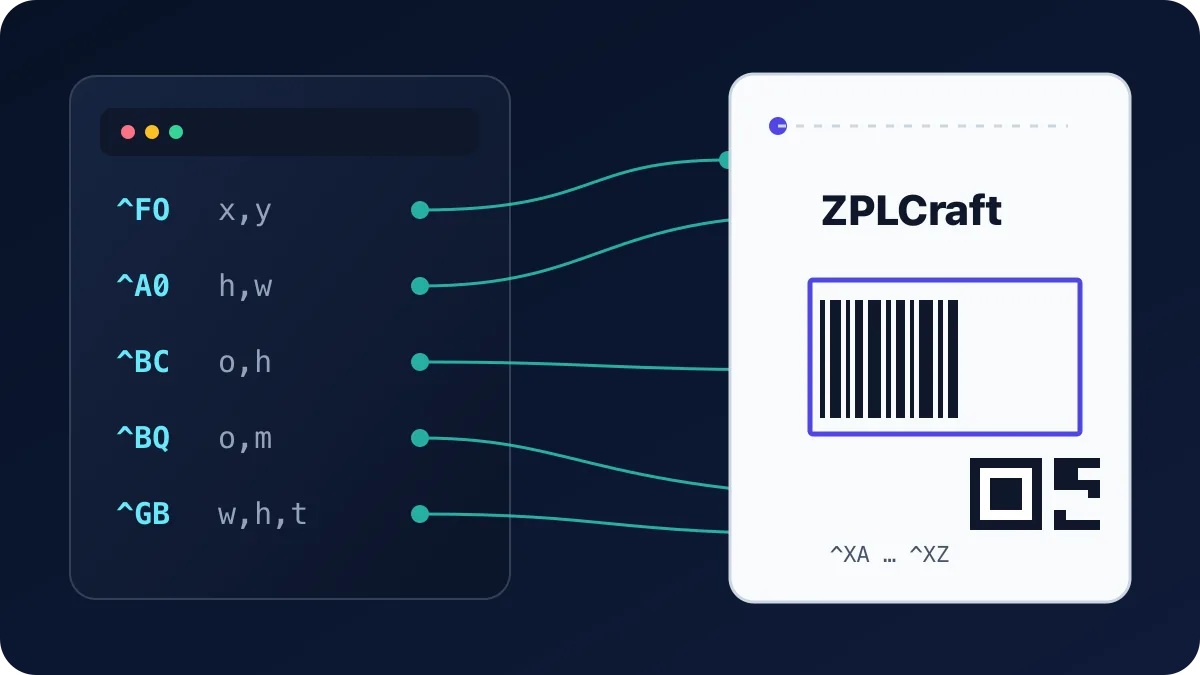
This is a working reference for commonly used ZPL II commands: format structure, text, fonts, barcodes, graphics and printer control. All positions and sizes are in printer dots (203 dpi = 8 dots/mm — see What is ZPL? for the basics). Parameters shown in the syntax column are: x,y = position from the top-left corner, h,w = height and width, o = orientation (N normal, R 90°, I 180°, B 270°).
Label format
| Command | Syntax | What it does |
|---|---|---|
^XA | ^XA | Start of a label format. Every label begins with this command. |
^XZ | ^XZ | End of a label format. The printer renders and prints the label when it receives this. |
^FX | ^FXcomment | Comment — ignored by the printer. End it with ^FS like any field. |
^PW | ^PWwidth | Print width in dots. Set this to your label width so fields are not clipped. |
^LL | ^LLlength | Label length in dots. Needed mainly for continuous (non-gap) media. |
^LH | ^LHx,y | Label home — shifts the origin for all subsequent ^FO positions. |
^PQ | ^PQqty | Print quantity — how many copies of this label to print. |
^PR | ^PRspeed | Print rate (speed) in inches per second. Slower often prints darker and sharper. |
^MD | ^MDdarkness | Media darkness adjustment, -30 to 30. Raise it if print is faint. |
Fields and text
| Command | Syntax | What it does |
|---|---|---|
^FO | ^FOx,y | Field origin — position the next field at x,y dots from the label home. |
^FD | ^FDdata | Field data — the content (text or barcode data) of the current field. |
^FS | ^FS | Field separator — closes the current field. Required after each field. |
^FB | ^FBwidth,lines,space,align | Field block — wraps ^FD text into a block: max width, max lines, line spacing, alignment (L/C/R/J). |
^FR | ^FR | Field reverse — prints the field white-on-black where it overlaps a black area. |
^FH | ^FH | Field hexadecimal — allows _xx hex escapes in ^FD, e.g. _C3_A9 for é. |
^CI | ^CIencoding | Character set; ^CI28 selects UTF-8 and is recommended for any non-ASCII text. |
Fonts
| Command | Syntax | What it does |
|---|---|---|
^A | ^Afo,h,w | Font for the next field: font letter f (0–9, A–Z), orientation, height and width in dots. ^A0N,40,40 is the scalable default font at 40 dots. |
^CF | ^CFf,h,w | Change default font for all following fields that do not set their own ^A. |
^A@ | ^A@o,h,w,name | Use a font file stored on the printer (e.g. downloaded TrueType). |
Font 0 is the scalable vector font and the usual choice; fonts A–H are fixed-size bitmap fonts that only look right at their native sizes or integer multiples.
ZPL Fonts: ^A Command, Built-in Fonts & Examples →
Barcodes
| Command | Syntax | What it does |
|---|---|---|
^BY | ^BYw,r,h | Barcode field defaults: module (narrow bar) width in dots, wide-to-narrow ratio, default height. Set before the barcode command. |
^BC | ^BCo,h,f,g,e,m | Code 128 — the workhorse 1D barcode for shipping and logistics. f=Y prints the human-readable line, g=Y prints it above the code. |
^B3 | ^B3o,e,h,f,g | Code 39 — older 1D symbology still required by some industrial and defense specs. |
^BE | ^BEo,h,f,g | EAN-13 retail barcode (use ^BU for UPC-A). |
^BQ | ^BQa,model,mag,ec | QR code. Magnification 1–10 sets module size; ec sets error correction (H/Q/M/L). Prefix the data with the encoding mode, e.g. ^FDQA,https://… |
^BX | ^BXo,h,s,c,r,f | Data Matrix — compact 2D code common on electronics and healthcare labels. |
^B7 | ^B7o,h,m,c,r,t | PDF417 — stacked 2D code used on IDs and some logistics documents. |
Barcode sizing is symbology-specific. Use ^BY to set module width, ratio and height, then follow the governing symbology, carrier or industry specification for minimum dimensions and quiet zones. A preview is not a substitute for verifying the physical print with the production scanner and media.
Graphics
| Command | Syntax | What it does |
|---|---|---|
^GB | ^GBw,h,t,c,r | Graphic box: width, height, border thickness, color (B/W), corner rounding 0–8. A thin ^GB is how you draw lines. |
^GC | ^GCd,t,c | Graphic circle with diameter d and border thickness t. |
^GD | ^GDw,h,t,c,o | Graphic diagonal line inside a w×h box; o sets the direction (L or R). |
^GF | ^GFa,b,c,d,data | Graphic field — embeds a bitmap (e.g. a logo) directly in the label as hex or binary data. |
~DG | ~DGd:name,t,w,data | Download graphic — store an image on the printer, then place it with ^XG. |
^XG | ^XGd:name,mx,my | Recall a stored graphic at the current field origin, with x/y magnification. |
Printer control and status
| Command | Syntax | What it does |
|---|---|---|
~HS | ~HS | Host status — the printer replies with paper-out, pause, buffer and odometer info. |
~HI | ~HI | Host identification — model, firmware version, DPI and memory. |
^MM | ^MMmode | Print mode: T tear-off, P peel-off, R rewind, C cutter. |
^MN | ^MNtype | Media tracking: Y gap/web sensing, M black-mark, N continuous. |
~JC | ~JC | Run media calibration (the printer feeds a few labels to find the gap). |
~JA | ~JA | Cancel all label formats in the printer buffer. |
^JUS | ^JUS | Save current settings to flash so they survive a power cycle. |
All ZPL commands
Text & fonts
^A Scalable/Bitmapped Font
^Afo,h,w
Preview support depends on the parameters and resources used. Check source warnings and the rendering notes below.
Built-in fonts use published cell metrics with bundled replacement outlines; their glyph shapes can differ from printer firmware. N/J/L use local Noto fonts. Embedded TrueType fonts load locally; fonts stored only on a printer are unavailable.
f- Font identifier
o- Orientation
h- Character height in dots
w- Character width in dots
^A0 Scalable Font 0
^A0o,h,w
Preview support depends on the parameters and resources used. Check source warnings and the rendering notes below.
Built-in fonts use published cell metrics with bundled replacement outlines; their glyph shapes can differ from printer firmware. N/J/L use local Noto fonts. Embedded TrueType fonts load locally; fonts stored only on a printer are unavailable.
o- Orientation
h- Character height in dots
w- Character width in dots
^A@ Use Font Name to Call Font
^A@o,h,w,d:f.x
Preview support depends on the parameters and resources used. Check source warnings and the rendering notes below.
Built-in fonts use published cell metrics with bundled replacement outlines; their glyph shapes can differ from printer firmware. N/J/L use local Noto fonts. Embedded TrueType fonts load locally; fonts stored only on a printer are unavailable.
o- Orientation
h- Character height in dots
w- Character width in dots
d- Storage device
f- Font filename
x- Filename extension
^CF Change the Alphanumeric Default Font
^CFf,h,w
Preview support depends on the parameters and resources used. Check source warnings and the rendering notes below.
Built-in fonts use published cell metrics with bundled replacement outlines; their glyph shapes can differ from printer firmware. N/J/L use local Noto fonts. Embedded TrueType fonts load locally; fonts stored only on a printer are unavailable.
f- specified default font
h- individual character height (in dots)
w- Default character width in dots
^CI Change International Font/Encoding
^CIa,s1,d1,s2,d2,...
Preview support depends on the parameters and resources used. Check source warnings and the rendering notes below.
a- Character encoding
s1- First output character
d1- First input character
s2- Second output character
d2- Second input character
^CW Font Identifier
^CWa,d:o.x
Preview support depends on the parameters and resources used. Check source warnings and the rendering notes below.
Built-in fonts use published cell metrics with bundled replacement outlines; their glyph shapes can differ from printer firmware. N/J/L use local Noto fonts. Embedded TrueType fonts load locally; fonts stored only on a printer are unavailable.
a- letter of existing font to be substituted, or new font to be added
d- device to store font in (optional)
o- name of the downloaded font to be substituted for the built- in, or as an additional font
x- Font file extension
^FL Font Linking
^FL<ext>,<base>,<link>
Preview support depends on the parameters and resources used. Check source warnings and the rendering notes below.
Resources must be defined in this source document. The preview cannot read files from printer memory.
ext- Extension font
base- Base font
link- Link or unlink (1 or 0)
^HT Host Linked Fonts List
^HT
Printer command. Preserved in ZPL for the printer; it does not draw label content in this preview.
No parameters.
Parameter reference ↗^LF List Font Links
^LF
Printer command. Preserved in ZPL for the printer; it does not draw label content in this preview.
No parameters.
Parameter reference ↗^PA Advanced Text Properties
^PAa,b,c,d
Preview support depends on the parameters and resources used. Check source warnings and the rendering notes below.
Missing-glyph, bidirectional ordering, contextual shaping and OpenType feature switches apply locally. The missing-glyph marker is a consistent hollow box; a custom font’s proprietary .notdef outline may differ.
a- default glyph
b- bidirectional text layout
c- character shaping
d- OpenType table support
^SE Select Encoding Table
^SEd:o.x
Local preview unavailable for this command. The original ZPL is preserved.
d- location of encoding table
o- name of encoding table
x- Encoding filename extension
^TB Text Blocks
^TBa,b,c
Preview support depends on the parameters and resources used. Check source warnings and the rendering notes below.
a- block rotation
b- block width in dots
c- block height in dots
Barcodes
^B0 Aztec Barcode Parameters
^B0a,b,c,d,e,f,g
Preview support depends on the parameters and resources used. Check source warnings and the rendering notes below.
Single Aztec symbols and runes are rendered. Structured append is not rendered.
a- orientation
b- magnification factor
c- extended channel interpretation code indicator
d- error control and symbol size/type indicator
e- menu symbol indicator
f- number of symbols for structured append
g- optional ID field for structured append
^B1 Code 11 Barcode
^B1o,e,h,f,g
Preview support depends on the parameters and resources used. Check source warnings and the rendering notes below.
o- orientation
e- check digit
h- barcode height (in dots)
f- print interpretation line
g- print interpretation line above code
^B2 Interleaved 2 of 5 Bar Code
^B2o,h,f,g,e,j
Preview support depends on the parameters and resources used. Check source warnings and the rendering notes below.
o- orientation
h- bar code height (in dots)
f- print interpretation line
g- print interpretation line above code
e- calculate and print Mod 10 check digit
^B3 Code 39 Barcode
^B3o,e,h,f,g
Preview support depends on the parameters and resources used. Check source warnings and the rendering notes below.
o- orientation
e- Mod-43 check digit
h- bar code height (in dots)
f- print interpretation line
g- print interpretation line above code
^B4 Code 49 Barcode
^B4o,h,f,m
Preview support depends on the parameters and resources used. Check source warnings and the rendering notes below.
o- orientation
h- height multiplier of individual rows
f- print interpretation line
m- starting mode
^B5 Planet Code Barcode
^B5o,h,f,g
Preview support depends on the parameters and resources used. Check source warnings and the rendering notes below.
o- orientation code
h- barcode height (in dots)
f- interpretation line
g- determines if the interpretation line is printed above the barcode
^B7 PDF417 Bar Code
^B7o,h,s,c,r,t
Preview support depends on the parameters and resources used. Check source warnings and the rendering notes below.
o- orientation
h- bar code height for individual rows (in dots)
s- security level
c- number of data columns to encode
r- number of rows to encode
t- truncate right row indicators and stop pattern
^B8 EAN-8 Barcode
^B8o,h,f,g
Preview support depends on the parameters and resources used. Check source warnings and the rendering notes below.
o- orientation
h- bar code height (in dots)
f- print interpretation line
g- print interpretation line above code
^B9 UPC-E Barcode
^B9o,h,f,g,e
Preview support depends on the parameters and resources used. Check source warnings and the rendering notes below.
o- orientation
h- barcode height (in dots)
f- print interpretation line
g- print interpretation line above code
e- print check digit
^BA Code 93 Barcode
^BAo,h,f,g,e
Preview support depends on the parameters and resources used. Check source warnings and the rendering notes below.
o- orientation
h- bar code height (in dots)
f- print interpretation line
g- print interpretation line above code
e- print check digit
^BB CODABLOCK Barcode
^BBo,h,s,c,r,m
Preview support depends on the parameters and resources used. Check source warnings and the rendering notes below.
Codablock F is rendered. Codablock A and E are not rendered.
o- orientation
h- bar code height for individual rows (in dots)
s- security level
c- number of characters per row (data columns)
r- number of rows to encode
m- mode
^BC Code 128 Barcode (Subsets A, B, and C)
^BCo,h,f,g,e,m
Preview support depends on the parameters and resources used. Check source warnings and the rendering notes below.
o- orientation
h- barcode height (in dots)
f- print interpretation line
g- print interpretation line above code
e- UCC check digit
m- mode
^BD UPS MaxiCode Bar Code
^BDm,n,t
Preview support depends on the parameters and resources used. Check source warnings and the rendering notes below.
m- mode
n- symbol number
t- total number of symbols
^BE EAN-13 Barcode
^BEo,h,f,g
Preview support depends on the parameters and resources used. Check source warnings and the rendering notes below.
o- orientation
h- barcode height (in dots)
f- print interpretation line
g- print interpretation line above code
^BF MicroPDF417 Barcode
^BFo,h,m
Preview support depends on the parameters and resources used. Check source warnings and the rendering notes below.
o- orientation
h- bar code height (in dots)
m- mode
^BI Industrial 2 of 5 Bar Codes
^BIo,h,f,g
Preview support depends on the parameters and resources used. Check source warnings and the rendering notes below.
o- orientation
h- bar code height (in dots)
f- print interpretation line
g- print interpretation line above code
^BJ Standard 2 of 5 Bar Code
^BJo,h,f,g
Preview support depends on the parameters and resources used. Check source warnings and the rendering notes below.
o- orientation
h- Barcode height (in dots)
f- print interpretation line
g- print interpretation line above code
^BK ANSI Codabar Bar Code
^BKo,e,h,f,g,k,l
Preview support depends on the parameters and resources used. Check source warnings and the rendering notes below.
o- orientation
e- check digit
h- Barcode height (in dots)
f- print interpretation line
g- print interpretation line above code
k- designates a start character
l- designates stop character
^BL LOGMARS Barcode
^BLo,h,g
Preview support depends on the parameters and resources used. Check source warnings and the rendering notes below.
o- orientation
h- Barcode height (in dots)
g- print interpretation line above code
^BM MSI Bar Code
^BMo,e,h,f,g,e2
Preview support depends on the parameters and resources used. Check source warnings and the rendering notes below.
o- orientation
e- check digit selection
h- Barcode height (in dots)
f- print interpretation line
g- print interpretation line above code
e2- inserts check digit into the interpretation line
^BO Aztec Bar Code Parameters
^BOa,b,c,d,e,f,g
Preview support depends on the parameters and resources used. Check source warnings and the rendering notes below.
Single Aztec symbols and runes are rendered. Structured append is not rendered.
a- orientation
b- magnification factor
c- extended channel interpretation code indicator
d- error control and symbol size/type indicator
e- menu symbol indicator
f- number of symbols for structured append
g- optional ID field for structured append
^BP Plessey Barcode
^BPo,e,h,f,g
Preview support depends on the parameters and resources used. Check source warnings and the rendering notes below.
o- orientation
e- print check digit
h- barcode height (in dots)
f- print interpretation line
g- print interpretation line above code
^BQ QR Code Barcode
^BQa,b,c,d,e
Preview support depends on the parameters and resources used. Check source warnings and the rendering notes below.
a- field orientation
b- model
c- magnification factor
d- error correction
e- mask value
^BR GS1 Databar (formerly Reduced Space Symbology)
^BRa,b,c,d,e,f
Preview support depends on the parameters and resources used. Check source warnings and the rendering notes below.
a- orientation
b- symbology type in the GS1 DataBar family
c- magnification factor
d- separator height
e- Barcode height
f- the segment width (GS1 DataBar Expanded only)
^BS UPC/EAN Extensions
^BSo,h,f,g
Preview support depends on the parameters and resources used. Check source warnings and the rendering notes below.
o- orientation
h- Barcode height (in dots)
f- print interpretation line
g- print interpretation line above code
^BT TLC39 Barcode
^BTo,w1,r1,h1,w2,h2
Local preview unavailable for this command. The original ZPL is preserved.
TLC39 composite rendering is not available in the local preview.
o- orientation
w1- width of the Code 39 bar code
r1- wide to narrow bar width ratio the Code 39 bar code
h1- height of the Code 39 bar code
h2- row height of the MicroPDF417 bar code
w2- narrow bar width of the MicroPDF417 bar code
^BU UPC-A Barcode
^BUo,h,f,g,e
Preview support depends on the parameters and resources used. Check source warnings and the rendering notes below.
o- orientation
h- Barcode height (in dots)
f- print interpretation line
g- print interpretation line above code
e- Include check digit in text
^BX Data Matrix Barcode
^BXo,h,s,c,r,f,g,a
Preview support depends on the parameters and resources used. Check source warnings and the rendering notes below.
ECC 200 Data Matrix is rendered. Legacy ECC 000–140 is not rendered.
o- orientation
h- dimensional height of individual symbol elements
s- quality level
c- columns to encode
r- rows to encode
f- format ID (0 to 6)
g- escape sequence control character
a- Square or rectangular symbol
^BY Bar Code Field Default
^BYw,r,h
Preview support depends on the parameters and resources used. Check source warnings and the rendering notes below.
w- Narrow module width in dots
r- Wide to narrow bar ratio
h- Default barcode height in dots
^BZ Postal Barcode
^BZo,h,f,g,t
Preview support depends on the parameters and resources used. Check source warnings and the rendering notes below.
o- orientation
h- Barcode height (in dots)
f- print interpretation line
g- print interpretation line above code
t- Postal code type
Fields
^FB Field Block
^FBa,b,c,d,e
Preview support depends on the parameters and resources used. Check source warnings and the rendering notes below.
a- width of text block line (in dots)
b- maximum number of lines in the text block
c- add or delete space between lines (in dots)
d- text justification
e- hanging indent (in dots) of the second and remaining lines
^FC Field Clock
^FCa,b,c
Preview support depends on the parameters and resources used. Check source warnings and the rendering notes below.
Date and time fields use the local preview clock. A printer clock may produce different values.
a- primary clock indicator character
b- secondary clock indicator character
c- third clock indicator character
^FD Field Data
^FDa
Preview support depends on the parameters and resources used. Check source warnings and the rendering notes below.
a- Field contents
^FE Field Concatenation
^FEa
Preview support depends on the parameters and resources used. Check source warnings and the rendering notes below.
a- Field concatenation delimiter
^FH Field Hexadecimal Indicator
^FHa
Preview support depends on the parameters and resources used. Check source warnings and the rendering notes below.
a- hexadecimal indicator
^FM Multiple Field Origin Locations
^FMx1,y1,x2,y2,...
Preview support depends on the parameters and resources used. Check source warnings and the rendering notes below.
PDF417 and MicroPDF417 split into linked symbols only when needed. Excluded origins retain their segment indexes; too few origins or insufficient macro capacity suppress the group.
x1- x-axis location of first symbol (in dots)
y1- y-axis location of first symbol (in dots)
x2- x-axis location of second symbol (in dots)
y2- y-axis location of second symbol (in dots) …
^FN Field Number
^FN#"a"
Preview support depends on the parameters and resources used. Check source warnings and the rendering notes below.
#- Field number
a- Optional prompt
^FO Field Origin
^FOx,y,z
Preview support depends on the parameters and resources used. Check source warnings and the rendering notes below.
x- x-axis location (in dots)
y- y-axis location (in dots)
z- Field justification
^FP Field Parameter
^FPd,g
Preview support depends on the parameters and resources used. Check source warnings and the rendering notes below.
d- direction
g- additional inter- character gap (in dots)
^FR Field Reverse Print
^FR
Preview support depends on the parameters and resources used. Check source warnings and the rendering notes below.
No parameters.
Parameter reference ↗^FS Field Separator
^FS
Preview support depends on the parameters and resources used. Check source warnings and the rendering notes below.
No parameters.
Parameter reference ↗^FT Field Typeset
^FTx,y,z
Preview support depends on the parameters and resources used. Check source warnings and the rendering notes below.
x- x-axis location (in dots)
y- y-axis location (in dots)
z- Field justification
^FV Field Variable
^FVa
Preview support depends on the parameters and resources used. Check source warnings and the rendering notes below.
a- variable field data to be printed
^FW Field Orientation
^FWr,z
Preview support depends on the parameters and resources used. Check source warnings and the rendering notes below.
r- rotate field
z- Default justification
^FX Comment
^FXc
Preview support depends on the parameters and resources used. Check source warnings and the rendering notes below.
c- non-printing comment
^SF Serialization Field (with a Standard ^FD String)
^SFa,b
Preview support depends on the parameters and resources used. Check source warnings and the rendering notes below.
The source preview shows the initial value. Batch export applies the serialization mask to each output copy.
a- mask string
b- increment string
^SN Serialization Data
^SNv,n,z
Preview support depends on the parameters and resources used. Check source warnings and the rendering notes below.
The source preview shows the initial serial value. Batch export applies increments to each output copy.
v- starting value
n- increment or decrement value
z- add leading zeros (if needed)
Graphics
^GB Graphic Box
^GBw,h,t,c,r
Preview support depends on the parameters and resources used. Check source warnings and the rendering notes below.
w- box width (in dots)
h- box height (in dots)
t- border thickness (in dots)
c- line color
r- Corner rounding, 0–8
^GC Graphic Circle
^GCd,t,c
Preview support depends on the parameters and resources used. Check source warnings and the rendering notes below.
d- circle diameter (in dots)
t- border thickness (in dots)
c- line color
^GD Graphic Diagonal Line
^GDw,h,t,c,o
Preview support depends on the parameters and resources used. Check source warnings and the rendering notes below.
w- box width (in dots)
h- box height (in dots)
t- border thickness (in dots)
c- line color
o- orientation (direction of the diagonal)
^GE Graphic Ellipse
^GEw,h,t,c
Preview support depends on the parameters and resources used. Check source warnings and the rendering notes below.
w- ellipse width (in dots)
h- ellipse height (in dots)
t- border thickness (in dots)
c- line color
^GF Graphic Field
^GFa,b,c,d,data
Preview support depends on the parameters and resources used. Check source warnings and the rendering notes below.
a- compression type
b- binary byte count
c- graphic field count
d- bytes per row
data- data
^GS Graphic Symbol
^GSo,h,w
Preview support depends on the parameters and resources used. Check source warnings and the rendering notes below.
Symbols A–E, including UL and CSA approval marks, use local vector representations. Their outlines can differ from printer bitmap glyphs.
o- field orientation
h- character height proportional to width (in dots)
w- Symbol width in dots
Label layout
^LH Label Home
^LHx,y
Preview support depends on the parameters and resources used. Check source warnings and the rendering notes below.
x- x-axis position (in dots)
y- Vertical label origin in dots
^LL Label Length
^LLy,x
Preview support depends on the parameters and resources used. Check source warnings and the rendering notes below.
y- Label length in dots
x- Apply to all media types
^LR Label Reverse Print
^LRa
Preview support depends on the parameters and resources used. Check source warnings and the rendering notes below.
a- reverse print all fields
^LS Label Shift
^LSa
Preview support depends on the parameters and resources used. Check source warnings and the rendering notes below.
a- shift left value (in dots)
^LT Label Top
^LTx
Preview support depends on the parameters and resources used. Check source warnings and the rendering notes below.
x- label top (in dot rows)
^MU Set Units of Measurement
^MUa,b,c
Preview support depends on the parameters and resources used. Check source warnings and the rendering notes below.
a- units
b- format base in dots per inch
c- desired dots-per- inch conversion
^PM Printing Mirror Image of Label
^PMa
Preview support depends on the parameters and resources used. Check source warnings and the rendering notes below.
a- print mirror image of entire label
^PO Print Orientation
^POa
Preview support depends on the parameters and resources used. Check source warnings and the rendering notes below.
a- invert the label 180 degrees
^PW Print Width
^PWa
Preview support depends on the parameters and resources used. Check source warnings and the rendering notes below.
a- label width (in dots)
^XA Start Format
^XA
Preview support depends on the parameters and resources used. Check source warnings and the rendering notes below.
No parameters.
Parameter reference ↗^XZ End Format
^XZ
Preview support depends on the parameters and resources used. Check source warnings and the rendering notes below.
No parameters.
Parameter reference ↗Files & memory
^CM Change Memory Letter Designation
^CMa,b,c,d
Preview support depends on the parameters and resources used. Check source warnings and the rendering notes below.
a- memory alias for B:
b- memory alias for E:
c- memory alias for R:
d- memory alias for A:
^CO Cache On
^COa,b,c
Printer command. Preserved in ZPL for the printer; it does not draw label content in this preview.
a- cache on
b- amount of additional memory to be added to cache (in K)
c- cache type
~DB Download Bitmap Font
~DBd:o.x,a,h,w,base,space,#char,c,data
Local preview unavailable for this command. The original ZPL is preserved.
d- drive to store font
o- name of font
x- extension
a- orientation of native font
h- maximum height of cell (in dots)
w- maximum width of cell (in dots)
base- dots from top of cell to character baseline
space- width of space or non-existent characters
#char- number of characters in font
data- structured ASCII data that defines each character in the font
~DE Download Encoding
~DEd:o.x,s,data
Local preview unavailable for this command. The original ZPL is preserved.
d- location of table
o- name of table
x- extension
s- table size
data- data string
^DF Download Format
^DFd:o.x
Preview support depends on the parameters and resources used. Check source warnings and the rendering notes below.
Resources must be defined in this source document. The preview cannot read files from printer memory.
d- device to store the image
o- image name
x- ZPL filename extension
~DG Download Graphics
~DGd:o.x,t,w,data
Preview support depends on the parameters and resources used. Check source warnings and the rendering notes below.
Resources must be defined in this source document. The preview cannot read files from printer memory.
d- device to store the image
o- image name
x- extension
t- total number of bytes in the graphic
w- number of bytes per row
data- ASCII hexadecimal string defining image
~DN Abort Download Graphic
~DN
Printer command. Preserved in ZPL for the printer; it does not draw label content in this preview.
No parameters.
Parameter reference ↗~DS Download Intellifont (Scalable Font)
~DSd:o.x,s,data
Local preview unavailable for this command. The original ZPL is preserved.
d- device to store image
o- image name
x- extension
s- size of font in bytes
data- ASCII hexadecimal string that defines font
~DT Download Bounded TrueType Font
~DTd:o.x,s,data
Local preview unavailable for this command. The original ZPL is preserved.
d- font location
o- font name
x- extension
s- font size
data- data string
~DU Download Unbounded TrueType Font
~DUd:o.x,s,data
Preview support depends on the parameters and resources used. Check source warnings and the rendering notes below.
Resources must be defined in this source document. The preview cannot read files from printer memory.
d- font location
o- font name
x- extension
s- font size
data- data string
~DY Download Objects
~DYd:f,b,x,t,w,data
Preview support depends on the parameters and resources used. Check source warnings and the rendering notes below.
Resources must be defined in this source document. The preview cannot read files from printer memory.
d- file location .NRD and .PAC files reside on E: in firmware versions V60.15.x, V50.15.x, or later.
f- file name
b- format downloaded in data field .TTE and .TTF are only supported in firmware versions V60.14.x, V50.14.x, or later.
x- extension of stored file
t- total number of bytes in file
w- total number of bytes per row
data- data
~EG Erase Download Graphics
~EG
Preview support depends on the parameters and resources used. Check source warnings and the rendering notes below.
No parameters.
Parameter reference ↗^HF Host Format
^HFd,o,x
Printer command. Preserved in ZPL for the printer; it does not draw label content in this preview.
d- device to recall image
o- image name
x- extension
^HG Host Graphic
^HGd:o.x
Printer command. Preserved in ZPL for the printer; it does not draw label content in this preview.
d- Storage device
o- Graphic name
x- Extension
^HW Host Directory List
^HWd:o.x
Printer command. Preserved in ZPL for the printer; it does not draw label content in this preview.
d- location to retrieve object listing
o- object name
x- extension
^HY Upload Graphics
^HYd:o.x
Printer command. Preserved in ZPL for the printer; it does not draw label content in this preview.
d- location of object
o- object name
x- extension
^ID Object Delete
^IDd:o.x
Preview support depends on the parameters and resources used. Check source warnings and the rendering notes below.
d- location of stored object
o- object name
x- Filename extension
^IL Image Load
^ILd:o.x
Preview support depends on the parameters and resources used. Check source warnings and the rendering notes below.
Resources must be defined in this source document. The preview cannot read files from printer memory.
d- location of the stored object
o- object name
x- extension
^IM Image Move
^IMd:o.x
Preview support depends on the parameters and resources used. Check source warnings and the rendering notes below.
Resources must be defined in this source document. The preview cannot read files from printer memory.
d- location of stored object
o- object name
x- extension
^IS Image Save
^ISd:o.x,p
Preview support depends on the parameters and resources used. Check source warnings and the rendering notes below.
Resources must be defined in this source document. The preview cannot read files from printer memory.
d- location of the stored object
o- object name
x- extension
p- print image after storing
^TO Transfer Object
^TOs:o.x,d:o.x
Preview support depends on the parameters and resources used. Check source warnings and the rendering notes below.
s- source device of stored object
o- stored object name
x- extension
d- destination device of the stored object
^WD Print Directory Label
^WDd:o.x
Printer command. Preserved in ZPL for the printer; it does not draw label content in this preview.
d- source device
o- object name
x- extension
^XF Recall Format
^XFd:o.x
Preview support depends on the parameters and resources used. Check source warnings and the rendering notes below.
Resources must be defined in this source document. The preview cannot read files from printer memory.
d- source device of stored image
o- name of stored image
x- extension
^XG Recall Graphic
^XGd:o.x,mx,my
Preview support depends on the parameters and resources used. Check source warnings and the rendering notes below.
Resources must be defined in this source document. The preview cannot read files from printer memory.
d- source device of stored image
o- name of stored image
x- extension
mx- magnification factor on the x-axis
my- magnification factor on the y-axis
Media
^CN Cut Now
^CNa
Printer command. Preserved in ZPL for the printer; it does not draw label content in this preview.
a- Cut Mode Override
^CP Remove Label
^CPa
Printer command. Preserved in ZPL for the printer; it does not draw label content in this preview.
a- kiosk present mode
~JC Set Media Sensor Calibration
~JC
Printer command. Preserved in ZPL for the printer; it does not draw label content in this preview.
No parameters.
Parameter reference ↗~JG Graphing Sensor Calibration
~JG
Printer command. Preserved in ZPL for the printer; it does not draw label content in this preview.
No parameters.
Parameter reference ↗~JL Set Label Length
~JL
Printer command. Preserved in ZPL for the printer; it does not draw label content in this preview.
No parameters.
Parameter reference ↗^JS Sensor Select
^JSa
Printer command. Preserved in ZPL for the printer; it does not draw label content in this preview.
a- sensor selection
~JS Change Backfeed Sequence
~JSb
Printer command. Preserved in ZPL for the printer; it does not draw label content in this preview.
b- backfeed order in relation to printing
^JW Set Ribbon Tension
^JWt
Printer command. Preserved in ZPL for the printer; it does not draw label content in this preview.
t- tension
^MD Media Darkness
^MDa
Printer command. Preserved in ZPL for the printer; it does not draw label content in this preview.
a- media darkness level
^MF Media Feed
^MFp,h
Printer command. Preserved in ZPL for the printer; it does not draw label content in this preview.
p- feed action at power-up
h- feed action after closing printhead
^ML Maximum Label Length
^MLa
Printer command. Preserved in ZPL for the printer; it does not draw label content in this preview.
a- maximum label length (in dot rows)
^MM Print Mode
^MMa,b
Printer command. Preserved in ZPL for the printer; it does not draw label content in this preview.
a- desired mode
b- Prepeel option
^MN Media Tracking
^MNa,b
Printer command. Preserved in ZPL for the printer; it does not draw label content in this preview.
a- media being used
b- black mark offset in dots
^MT Media Type
^MTa
Printer command. Preserved in ZPL for the printer; it does not draw label content in this preview.
a- media type used
^PF Slew Given Number of Dot Rows
^PF#
Printer command. Preserved in ZPL for the printer; it does not draw label content in this preview.
#- Dot rows to advance
^PH Slew to Home Position
^PH
Printer command. Preserved in ZPL for the printer; it does not draw label content in this preview.
No parameters.
Parameter reference ↗~PH Slew to Home Position
~PH
Printer command. Preserved in ZPL for the printer; it does not draw label content in this preview.
No parameters.
Parameter reference ↗~PL Present Length Addition
~PLa
Printer command. Preserved in ZPL for the printer; it does not draw label content in this preview.
a- additional eject length
^PN Present Now
^PNa
Printer command. Preserved in ZPL for the printer; it does not draw label content in this preview.
a- media eject length
~SD Set Darkness
~SD##
Printer command. Preserved in ZPL for the printer; it does not draw label content in this preview.
##- Darkness level
^SI Set Sensor Intensity
^SIa,b
Printer command. Preserved in ZPL for the printer; it does not draw label content in this preview.
a- indicates the setting to modify
b- the value to use for the sensor being configured
^SS Set Media Sensors
^SSw,m,r,l,m2,r2,a,b,c
Printer command. Preserved in ZPL for the printer; it does not draw label content in this preview.
w- web (3-digit value)
m- media (3-digit value)
r- ribbon (3-digit value)
l- label length (in dots, four-digit value)
m2- intensity of media LED (3-digit value)
r2- intensity of ribbon LED (3-digit value)
a- mark sensing (3-digit value)
b- mark media sensing (3-digit value)
c- mark LED sensing (3-digit value)
~TA Tear-off Adjust Position
~TA###
Printer command. Preserved in ZPL for the printer; it does not draw label content in this preview.
###- Tear-off position in dots
^XB Suppress Backfeed
^XB
Printer command. Preserved in ZPL for the printer; it does not draw label content in this preview.
No parameters.
Parameter reference ↗^XS Set Dynamic Media Calibration
^XSlength,threshold
Printer command. Preserved in ZPL for the printer; it does not draw label content in this preview.
length- dynamic length calibration
threshold- dynamic threshold calibration
Printing
~JA Cancel All
~JA
Printer command. Preserved in ZPL for the printer; it does not draw label content in this preview.
No parameters.
Parameter reference ↗~JP Pause and Cancel Format
~JP
Printer command. Preserved in ZPL for the printer; it does not draw label content in this preview.
No parameters.
Parameter reference ↗~JX Cancel Current Partially Input Format
~JX
Printer command. Preserved in ZPL for the printer; it does not draw label content in this preview.
No parameters.
Parameter reference ↗^JZ Reprint After Error
^JZa
Printer command. Preserved in ZPL for the printer; it does not draw label content in this preview.
a- reprint after error
^MC Map Clear
^MCa
Preview support depends on the parameters and resources used. Check source warnings and the rendering notes below.
a- map clear
^PP Programmable Pause
^PP
Printer command. Preserved in ZPL for the printer; it does not draw label content in this preview.
No parameters.
Parameter reference ↗~PP Programmable Pause
~PP
Printer command. Preserved in ZPL for the printer; it does not draw label content in this preview.
No parameters.
Parameter reference ↗^PQ Print Quantity
^PQq,p,r,o,e
Preview support depends on the parameters and resources used. Check source warnings and the rendering notes below.
The source preview shows one label. Batch export includes the requested copies within its page limit.
q- total quantity of labels to print
p- pause and cut value (labels between pauses)
r- replicates of each serial number
o- override pause count
e- cut on error label (RFID void is an error label) o parameter is set to Y, the printer cuts but does not pause,
~PR Applicator Reprint
~PR
Printer command. Preserved in ZPL for the printer; it does not draw label content in this preview.
No parameters.
Parameter reference ↗^PR Print Rate
^PRp,s,b
Printer command. Preserved in ZPL for the printer; it does not draw label content in this preview.
p- print speed
s- slew speed
b- backfeed speed
~PS Print Start
~PS
Printer command. Preserved in ZPL for the printer; it does not draw label content in this preview.
No parameters.
Parameter reference ↗^SP Start Print
^SPa
Printer command. Preserved in ZPL for the printer; it does not draw label content in this preview.
a- dot row to start printing
Status & diagnostics
~HB Battery Status
~HB
Printer command. Preserved in ZPL for the printer; it does not draw label content in this preview.
No parameters.
Parameter reference ↗~HD Head Diagnostic
~HD
Printer command. Preserved in ZPL for the printer; it does not draw label content in this preview.
No parameters.
Parameter reference ↗^HH Configuration Label Return
^HH
Printer command. Preserved in ZPL for the printer; it does not draw label content in this preview.
No parameters.
Parameter reference ↗~HI Host Identification
~HI
Printer command. Preserved in ZPL for the printer; it does not draw label content in this preview.
No parameters.
Parameter reference ↗~HM Host RAM Status
~HM
Printer command. Preserved in ZPL for the printer; it does not draw label content in this preview.
No parameters.
Parameter reference ↗~HQ Host Query
~HQquery-type
Printer command. Preserved in ZPL for the printer; it does not draw label content in this preview.
query-type- Requested report
~HS Host Status Return
~HS
Printer command. Preserved in ZPL for the printer; it does not draw label content in this preview.
No parameters.
Parameter reference ↗~HU Return ZebraNet Alert Configuration
~HU
Printer command. Preserved in ZPL for the printer; it does not draw label content in this preview.
No parameters.
Parameter reference ↗^HV Host Verification
^HV#,n,h,t,a
Printer command. Preserved in ZPL for the printer; it does not draw label content in this preview.
n- number of bytes to be returned
h- header to be returned with the data
t- termination
a- command applies to
^HZ Display Description Information
^HZb
Printer command. Preserved in ZPL for the printer; it does not draw label content in this preview.
b- display description to return
~JD Enable Communications Diagnostics
~JD
Printer command. Preserved in ZPL for the printer; it does not draw label content in this preview.
No parameters.
Parameter reference ↗~JE Disable Diagnostics
~JE
Printer command. Preserved in ZPL for the printer; it does not draw label content in this preview.
No parameters.
Parameter reference ↗~JN Head Test Fatal
~JN
Printer command. Preserved in ZPL for the printer; it does not draw label content in this preview.
No parameters.
Parameter reference ↗~JO Head Test Non-Fatal
~JO
Printer command. Preserved in ZPL for the printer; it does not draw label content in this preview.
No parameters.
Parameter reference ↗^JT Head Test Interval
^JT####,a,b,c
Printer command. Preserved in ZPL for the printer; it does not draw label content in this preview.
a- manually select range of elements to test
b- first element to check when parameter a is Y
c- last element to check when parameter a is Y
~WC Print Configuration Label
~WC
Printer command. Preserved in ZPL for the printer; it does not draw label content in this preview.
No parameters.
Parameter reference ↗~WQ Write Query
~WQquery-type
Printer command. Preserved in ZPL for the printer; it does not draw label content in this preview.
query-type- Requested query
Printer settings
^CC Change Caret
^CCx
Preview support depends on the parameters and resources used. Check source warnings and the rendering notes below.
x- caret character change
~CC Change Caret
~CCx
Preview support depends on the parameters and resources used. Check source warnings and the rendering notes below.
x- caret character change
^CD Change Delimiter
^CDa
Preview support depends on the parameters and resources used. Check source warnings and the rendering notes below.
a- delimiter character change
~CD Change Delimiter
~CDa
Preview support depends on the parameters and resources used. Check source warnings and the rendering notes below.
a- delimiter character change
^CT Change Tilde
^CTa
Preview support depends on the parameters and resources used. Check source warnings and the rendering notes below.
a- change control command character
~CT Change Tilde
~CTa
Preview support depends on the parameters and resources used. Check source warnings and the rendering notes below.
a- change control command character
^CV Code Validation
^CVa
Printer command. Preserved in ZPL for the printer; it does not draw label content in this preview.
a- code validation
^JB Initialize Flash Memory
^JBa
Printer command. Preserved in ZPL for the printer; it does not draw label content in this preview.
a- device to initialize
~JB Reset Optional Memory
~JB
Printer command. Preserved in ZPL for the printer; it does not draw label content in this preview.
No parameters.
Parameter reference ↗~JF Set Battery Condition
~JFp
Printer command. Preserved in ZPL for the printer; it does not draw label content in this preview.
p- pause on low voltage
^JH Early Warning Settings
^JHa,b,c,d,e,f,g,h,i,j
Printer command. Preserved in ZPL for the printer; it does not draw label content in this preview.
a- Media or supplies warning
b- Labels per roll
c- Media replaced
d- Ribbon length
e- Ribbon replaced
f- Maintenance warning
g- Printhead cleaning interval
h- Printhead cleaned
i- Printhead life threshold
j- Printhead replaced
^JI Start ZBI (Zebra BASIC Interpreter)
^JId:o.x,b,c,d
Printer command. Preserved in ZPL for the printer; it does not draw label content in this preview.
d- location of program to run after initialization
o- name of program to run after initialization
x- extension of program to run after initialization
b- console control
c- echoing control
~JI Start ZBI (Zebra BASIC Interpreter)
~JI
Printer command. Preserved in ZPL for the printer; it does not draw label content in this preview.
No parameters.
Parameter reference ↗^JJ Set Auxiliary Port
^JJa,b,c,d,e,f
Printer command. Preserved in ZPL for the printer; it does not draw label content in this preview.
a- operational mode for auxiliary port
b- application mode
c- application mode start signal print
d- application label error mode
e- reprint mode
f- ribbon low mode
^JM Set Dots per Millimeter
^JMn
Preview support depends on the parameters and resources used. Check source warnings and the rendering notes below.
n- set dots per millimeter
~JQ Terminate Zebra BASIC Interpreter
~JQ
Printer command. Preserved in ZPL for the printer; it does not draw label content in this preview.
No parameters.
Parameter reference ↗~JR Power On Reset
~JR
Printer command. Preserved in ZPL for the printer; it does not draw label content in this preview.
No parameters.
Parameter reference ↗^JU Configuration Update
^JUa
Printer command. Preserved in ZPL for the printer; it does not draw label content in this preview.
a- active configuration
~KB Kill Battery (Battery Discharge Mode)
~KB
Printer command. Preserved in ZPL for the printer; it does not draw label content in this preview.
No parameters.
Parameter reference ↗^KD Select Date and Time Format (for Real Time Clock)
^KDa
Printer command. Preserved in ZPL for the printer; it does not draw label content in this preview.
a- value of date and time format
^KL Define Language
^KLa
Printer command. Preserved in ZPL for the printer; it does not draw label content in this preview.
a- Printer display language
^KN Define Printer Name
^KNa,b
Printer command. Preserved in ZPL for the printer; it does not draw label content in this preview.
a- printer name
b- printer description
^KP Define Password
^KPa,b
Printer command. Preserved in ZPL for the printer; it does not draw label content in this preview.
a- mandatory four-digit password
b- password level (applicable to the S4M printer only)
^KV Kiosk Values
^KVa,b,c,d,e
Printer command. Preserved in ZPL for the printer; it does not draw label content in this preview.
a- kiosk cut amount
b- kiosk cut margin
c- kiosk present type
d- kiosk present timeout
e- presenter loop length
^MA Set Maintenance Alerts
^MAtype,print,printlabel_threshold,frequency,units
Printer command. Preserved in ZPL for the printer; it does not draw label content in this preview.
type- type of alert
print- determines if the alert prints a label printlabel
threshold- the distance where the first alert occurs
frequency- distance before reissuing the alert
units- odometer and printhead maintenance commands
^MI Set Maintenance Information Message
^MItype,message
Printer command. Preserved in ZPL for the printer; it does not draw label content in this preview.
type- identifies the type of alert
message- message that prints on the label when a maintenance alert occurs
^MP Mode Protection
^MPa
Printer command. Preserved in ZPL for the printer; it does not draw label content in this preview.
a- mode to protect
^MW Modify Head Cold Warning
^MWa
Printer command. Preserved in ZPL for the printer; it does not draw label content in this preview.
a- Enable cold printhead warning
~PM Decommissioning Mode
~PMa,b
Printer command. Preserved in ZPL for the printer; it does not draw label content in this preview.
a- Printer serial number
b- Erase pass count
~RO Reset Advanced Counters
~ROc
Printer command. Preserved in ZPL for the printer; it does not draw label content in this preview.
c- Counter number
^SC Set Serial Communications
^SCa,b,c,d,e,f
Printer command. Preserved in ZPL for the printer; it does not draw label content in this preview.
a- baud rate
b- word length (in data bits)
c- parity
d- stop bits
e- protocol mode
f- Zebra protocol
^SL Set Mode and Language (for Real-Time Clock)
^SLa,b
Preview support depends on the parameters and resources used. Check source warnings and the rendering notes below.
The preview formats one label at a time, using the selected date language. Queue-time clock updates are not simulated.
a- mode
b- Clock language
^SO Set Offset (for Real-Time Clock)
^SOa,b,c,d,e,f,g
Preview support depends on the parameters and resources used. Check source warnings and the rendering notes below.
Offsets apply to the preview clock only.
a- clock set
b- months offset
c- days offset
d- years offset
e- hours offset
f- minutes offset
g- seconds offset
^SQ Halt ZebraNet Alert
^SQa,b,c
Printer command. Preserved in ZPL for the printer; it does not draw label content in this preview.
a- condition type
b- destination
c- halt messages
^SR Set Printhead Resistance
^SR####
Printer command. Preserved in ZPL for the printer; it does not draw label content in this preview.
####- Printhead resistance
^ST Set Date and Time (for Real-Time Clock)
^STa,b,c,d,e,f,g
Preview support depends on the parameters and resources used. Check source warnings and the rendering notes below.
Sets a clock value within this preview only. It does not change the computer or printer clock.
a- month
b- day
c- year
d- hour
e- minute
f- second
g- format
^SX Set ZebraNet Alert
^SXa,b,c,d,e,f
Printer command. Preserved in ZPL for the printer; it does not draw label content in this preview.
a- condition type
b- destination for route alert
c- enable condition set alert to this destination
d- enable condition clear alert to this destination
e- destination setting
f- port number
^SZ Set ZPL Mode
^SZa
Printer command. Preserved in ZPL for the printer; it does not draw label content in this preview.
a- ZPL version
^ZZ Printer Sleep
^ZZt,b
Printer command. Preserved in ZPL for the printer; it does not draw label content in this preview.
t- number of second (idle time) prior to shutdown
b- label status at shutdown
Network
^KC Set Client Identifier (Option 61)
^KCa,b,c,d
Printer command. Preserved in ZPL for the printer; it does not draw label content in this preview.
a- enable or disable
b- device
c- prefix (optional)
d- Client identifier
^NB Search for Wired Print Server during Network Boot
^NBa
Printer command. Preserved in ZPL for the printer; it does not draw label content in this preview.
a- check for wired print server at boot time
^NC Select the Primary Network Device
^NCa
Printer command. Preserved in ZPL for the printer; it does not draw label content in this preview.
a- primary network device
~NC Network Connect
~NC###
Printer command. Preserved in ZPL for the printer; it does not draw label content in this preview.
###- Network identifier
^ND Change Network Settings
^NDa,b,c,d,e,f,g,h,i,j
Printer command. Preserved in ZPL for the printer; it does not draw label content in this preview.
a- the device that is being modified
b- IP resolution
c- IP address
d- subnet mask
e- default gateway
f- WINS server address
g- connection timeout checking
h- timeout value
i- ARP broadcast interval
j- base raw port number
^NI Network ID Number
^NI###
Printer command. Preserved in ZPL for the printer; it does not draw label content in this preview.
###- Network identifier
^NN Set SNMP
^NNa,b,c,d,e,f
Printer command. Preserved in ZPL for the printer; it does not draw label content in this preview.
a- system name
b- system contact
c- system location
d- get community name
e- set community name
f- trap community name
^NP Set Primary/Secondary Device
^NPa
Printer command. Preserved in ZPL for the printer; it does not draw label content in this preview.
a- device to use as primary
~NR Set All Network Printers Transparent
~NR
Printer command. Preserved in ZPL for the printer; it does not draw label content in this preview.
No parameters.
Parameter reference ↗^NS Change Wired Networking Settings
^NSa,b,c,d,e,f,g,h,i
Printer command. Preserved in ZPL for the printer; it does not draw label content in this preview.
a- IP resolution
b- IP address
c- subnet mask
d- default gateway
e- WINS server address
f- connection timeout checking
g- timeout value
h- ARP broadcast interval
i- base raw port number
^NT Set SMTP
^NTa,b
Printer command. Preserved in ZPL for the printer; it does not draw label content in this preview.
a- SMTP server address
b- print server domain
~NT Set Currently Connected Printer Transparent
~NT
Printer command. Preserved in ZPL for the printer; it does not draw label content in this preview.
No parameters.
Parameter reference ↗^NW Set Web Authentication Timeout Value
^NWa
Printer command. Preserved in ZPL for the printer; it does not draw label content in this preview.
a- timeout value
^WA Set Antenna Parameters
^WAa,b
Printer command. Preserved in ZPL for the printer; it does not draw label content in this preview.
a- receive antenna
b- transmit antenna
^WE Set WEP Mode
^WEa,b,c,d,e,f,g,h
Printer command. Preserved in ZPL for the printer; it does not draw label content in this preview.
a- encryption mode
b- encryption index
c- authentication type
d- encryption key storage
^WL Set LEAP Parameters
^WLa,b,c
Printer command. Preserved in ZPL for the printer; it does not draw label content in this preview.
a- mode
b- user name
c- password
~WL Print Network Configuration Label
~WL
Printer command. Preserved in ZPL for the printer; it does not draw label content in this preview.
No parameters.
Parameter reference ↗^WP Set Wireless Password
^WPa,b
Printer command. Preserved in ZPL for the printer; it does not draw label content in this preview.
a- old wireless password
b- new wireless password
^WR Set Transmit Rate
^WRa,b,c,d,e
Printer command. Preserved in ZPL for the printer; it does not draw label content in this preview.
a- rate 1
b- rate 2
c- rate 5.5
d- rate 11
e- transmit power
~WR Reset Wireless Radio Card and Print Server
~WR
Printer command. Preserved in ZPL for the printer; it does not draw label content in this preview.
No parameters.
Parameter reference ↗^WS Set Wireless Radio Card Values
^WSe,o,p,h,i,j,k
Printer command. Preserved in ZPL for the printer; it does not draw label content in this preview.
e- ESSID value
o- operating mode
p- wireless radio card preamble
h- wireless pulse
i- wireless pulse interval
j- channel mask
k- international mode
^WX Configure Wireless Securities
^WXa,[supporting parameters]
Printer command. Preserved in ZPL for the printer; it does not draw label content in this preview.
a- security type
i- user ID*
m- Key Distribution Center (KDC)*
n- Pre-Shared Key (PSK) value*
RFID
^HL Return RFID Data Log to Host
^HL
Printer command. Preserved in ZPL for the printer; it does not draw label content in this preview.
No parameters.
Parameter reference ↗~HL Return RFID Data Log to Host
~HL
Printer command. Preserved in ZPL for the printer; it does not draw label content in this preview.
No parameters.
Parameter reference ↗^HR Calibrate RFID Tag Position
^HRa,b,c,d,e,f,g,h,i
Printer command. Preserved in ZPL for the printer; it does not draw label content in this preview.
a- start string
b- end string
c- start position
d- end position
e- antenna and read/write power level detection
f- start of read/ write power range
g- end of read/write power range
h- start of antenna range
i- end of antenna range
^RB Define EPC Data Structure
^RBn,p0,p1,p2, ..., p15
Printer command. Preserved in ZPL for the printer; it does not draw label content in this preview.
n- Total EPC bit count
p0- First partition size
p1- Second partition size
p15- Last partition size
^RF Read or Write RFID Format
^RFo,f,b,n,m
Printer command. Preserved in ZPL for the printer; it does not draw label content in this preview.
o- Read or write operation
f- Data representation
b- Password or starting block
n- Byte count
m- Memory bank
^RL Lock/Unlock RFID Tag Memory
^RLP | ^RLB,s,n | ^RLM,k,a,e,u
Printer command. Preserved in ZPL for the printer; it does not draw label content in this preview.
s- Starting section
n- Section count
k- Kill password lock
a- Access password lock
e- EPC memory lock
u- User memory lock
^RS Set Up RFID Parameters
^RSt,p,v,n,e,a,c,s
Printer command. Preserved in ZPL for the printer; it does not draw label content in this preview.
t- RFID tag type
p- Tag programming position
v- Void label length
n- Retry label count
e- Error action
a- Applicator signal mode
c- Reserved
s- Void label print speed
^RU Read Unique RFID Chip Serialization
^RUa,b
Printer command. Preserved in ZPL for the printer; it does not draw label content in this preview.
a- Prefix
b- Special character
^RW Set RF Power Levels for Read and Write
^RWr,w,a
Printer command. Preserved in ZPL for the printer; it does not draw label content in this preview.
r- read power
w- write power
a- RFID antenna element selection
Putting it together
A typical 4×6 shipping-style label using most of the groups above:
^XA
^PW812
^LL1218
^CI28
^CF0,32

^FO40,40^FDSHIP TO:^FS
^FO40,80^A0N,44,44^FDAcme Industries^FS
^FO40,130^FD500 Warehouse Way^FS
^FO40,170^FDSpringfield, IL 62701^FS

^FO40,230^GB732,3,3^FS

^FO40,260^FDOrder #A-10592 / 3 of 4^FS

^BY3,2,120
^FO140,320^BCN,120,Y,N,N^FD4210159200083^FS
^XZ
Open this example in the viewer (new tab)
Hand-editing dot coordinates gets old quickly — every layout tweak means changing numbers and reprinting. If you would rather drag the fields into place and let the ZPL write itself, the ZPLCraft editor below compiles a visual canvas to exactly this kind of clean ZPL, and can send it through a compatible browser-to-printer USB path when the browser, operating system and printer expose a claimable interface.