Labelary Alternative: Local ZPL Viewer vs Labelary
ZPLCraftUpdated September 30, 2026
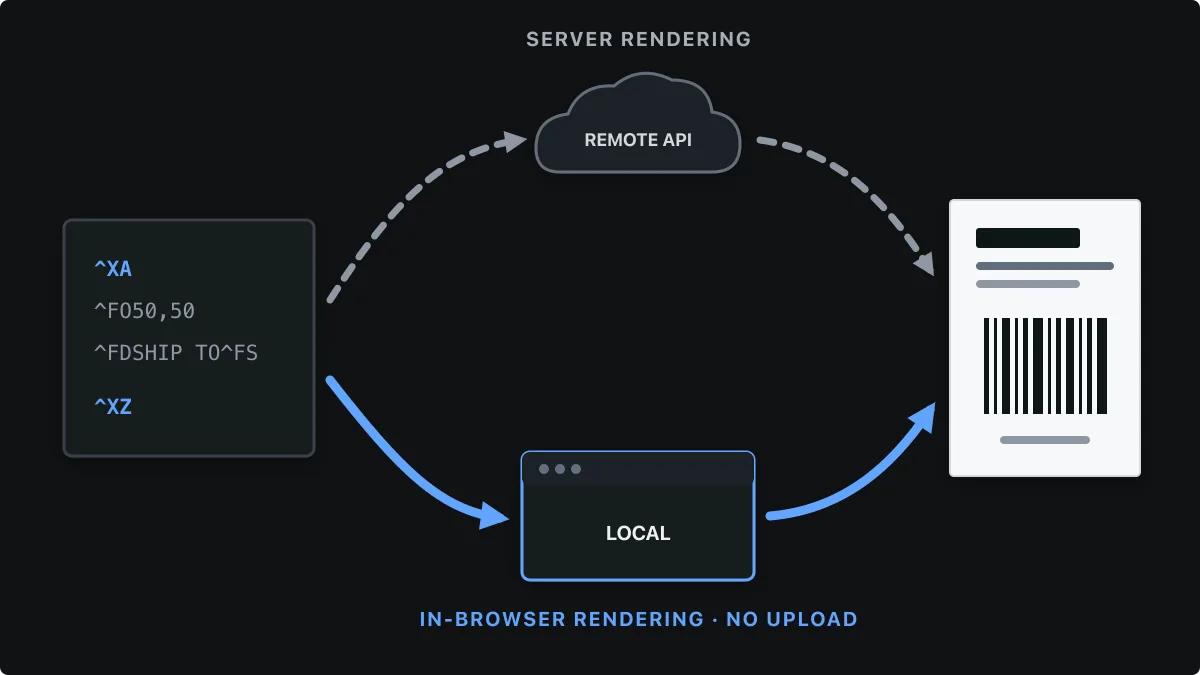
Labelary is the best-known online ZPL viewer, and for good reason: it renders a very wide range of ZPL and offers a free REST API that turns ZPL into PNG or PDF images on Labelary’s servers. If you have ever debugged a shipping label, you have probably pasted it into Labelary.
ZPLCraft’s ZPL viewer takes a different approach: the label is rendered by a ZPL interpreter running in your own browser, and the same label can be opened in a visual drag-and-drop designer. This page compares the two honestly so you can pick the right tool, or use both.
Labelary is a trademark of its owner. ZPLCraft is independent and not affiliated with Labelary; details below come from Labelary’s public documentation and may change.
Labelary vs ZPLCraft at a glance
| Labelary | ZPLCraft viewer | |
|---|---|---|
| Where ZPL is rendered | On Labelary’s servers | In your browser; label data is not uploaded |
| Account required | No | No |
| Printer resolutions | 152, 203, 300 and 600 dpi | 203, 300 and 600 dpi |
| Outputs | PNG and PDF, plus conversion to other printer languages through the API | PNG per label; combined PDF through the converter |
| Rendering API | Free REST API (3 requests per second, 5,000 per day), paid plans for more | No public rendering API; a label API for saved designs is part of Pro |
| Editing | Edit the ZPL code | Edit the code with a command assistant, or open the label in a visual designer |
| Printing | Not a printing tool | Print from the designer over WebUSB, Zebra Browser Print or the system dialog |
When Labelary is the better choice
- You need a rendering service your server can call, for example to show label images inside your own application. Labelary’s REST API is built exactly for that.
- You need the broadest possible ZPL coverage as a reference rendering for unusual commands or printer-specific features.
- You need 152 dpi output or conversion from ZPL into another printer language.
When a local ZPL viewer is the better choice
- Labels contain personal data such as customer addresses or patient details, and you would rather not send them to a third-party service.
- You preview many labels in a row and do not want to think about rate limits.
- You want to change the label rather than just look at it: move fields, swap fonts or add a barcode visually, then export clean ZPL.
- You want to go straight from preview to printing on a Zebra printer from the browser.
Rendering differences to expect
No online viewer can reproduce a Zebra printer exactly. Printer-resident fonts are proprietary, so every viewer draws substitutes, and printers have stored graphics, fonts and settings that a pasted snippet does not include. The ZPLCraft viewer lists commands it cannot draw as warnings instead of silently skipping them.
For labels that must scan reliably, such as carrier barcodes, treat any preview as a layout check and confirm the final result with a test print and a scanner.
Using both tools together
ZPL is plain text, so there is no lock-in: the ZPL exported from the ZPLCraft designer can be pasted into Labelary, and ZPL copied from Labelary opens in the ZPLCraft viewer. A practical workflow is to design and iterate locally, then cross-check an unusual label in a second renderer before a large print run.
Labelary alternative questions
Is there a free alternative to Labelary?
Yes. The ZPLCraft ZPL viewer is free, needs no account and renders ZPL locally in your browser, with PNG downloads and 203, 300 and 600 dpi support.
Does the ZPLCraft viewer send my ZPL to a server?
No. The viewer interprets ZPL with JavaScript inside your browser, so the label contents stay on your device.
Can I render ZPL offline?
Once the ZPLCraft viewer has loaded, rendering does not need a network request, so previews keep working if your connection drops. Labelary’s viewer and API need an internet connection because rendering happens on its servers.
Which viewer is more accurate?
Both approximate printer fonts, and coverage differs by command. Labelary supports a very broad command set; ZPLCraft documents exactly which commands it renders and warns about the rest. For production labels, a test print is the only definitive check.