ZPL Barcodes: Code 128, QR, EAN, GS1-128 & Data Matrix
ZPLCraftUpdated September 30, 2026
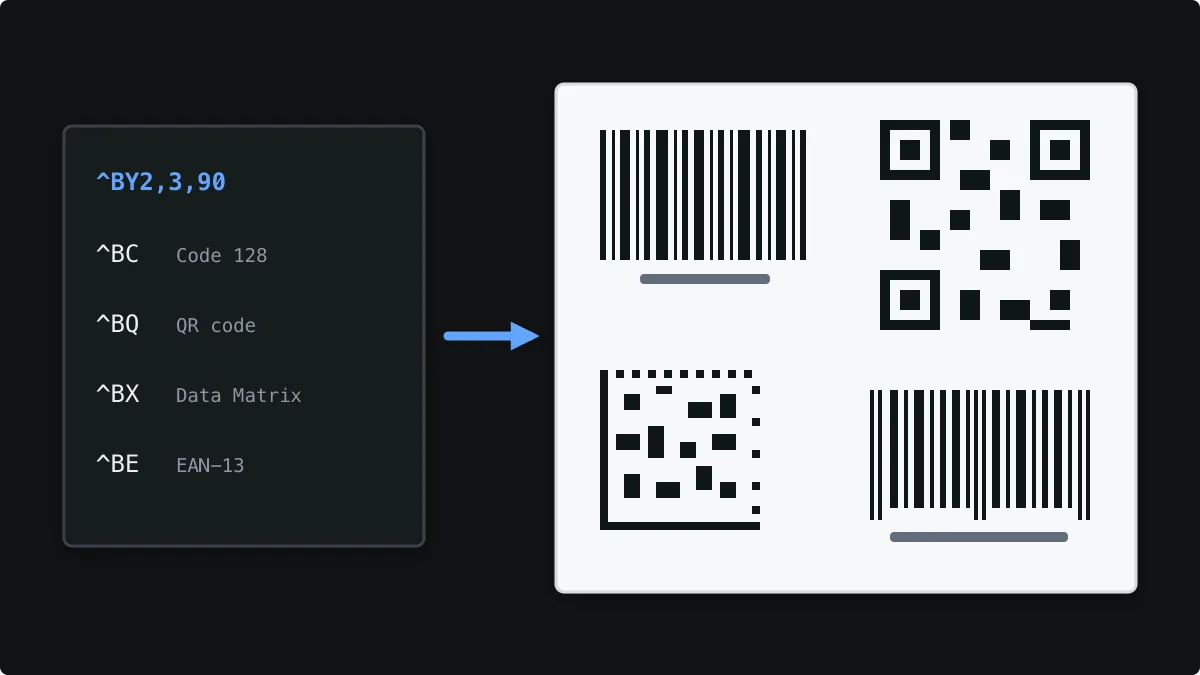
Barcodes are the reason most thermal labels exist. ZPL has a dedicated command for every common symbology, and the printer draws the bars itself at its native resolution, which is why ZPL barcodes print sharper than barcode images.
This guide covers the commands you will actually use: ^BY for sizing, ^BC for Code 128 and GS1-128, ^BQ for QR codes, ^BE for EAN-13, ^BX for Data Matrix and ^B7 for PDF417, with working examples and the sizing rules that decide whether a barcode scans.
Which ZPL barcode command to use
| Symbology | Command | Typical use |
|---|---|---|
| Code 128 | ^BC | SKUs, order numbers, tracking and any alphanumeric data |
| GS1-128 | ^BC … D | Logistics data with GS1 application identifiers, SSCC pallet labels |
| QR code | ^BQ | Web links, asset tags and mobile scanning |
| EAN-13 | ^BE | Retail products at the point of sale |
| UPC-A | ^BU | Retail products in North America |
| Data Matrix | ^BX | Small parts, electronics and healthcare (GS1 DataMatrix) |
| PDF417 | ^B7 | Documents and IDs that need a lot of data in a small area |
| Code 39 | ^B3 | Older industrial and automotive systems |
| Interleaved 2 of 5 | ^B2 | Shipping cartons (ITF-14) |
Sizing barcodes with ^BY
^BY sets the defaults for the barcodes that follow it: the module width (the width of the narrowest bar, in dots), the wide-to-narrow bar ratio for symbologies that use one, and the bar height. The module width decides almost everything about a linear barcode, because the whole symbol scales with it.
^BYw,r,h
^BY2,3,100
At 203 dpi one dot is 0.125 mm, so a module width of 2 gives 0.25 mm bars and a module width of 3 gives 0.375 mm bars. Handheld scanners usually read 2-dot modules comfortably; labels scanned from a distance or on curved surfaces benefit from 3 or more. Because modules must be whole dots, a barcode cannot be stretched to an arbitrary width without changing how it scans.
Code 128 with ^BC
Code 128 encodes letters, digits and symbols compactly and is the default choice for SKUs and order numbers. ^BC takes the orientation, bar height, whether to print the human-readable line (and whether above or below), and a mode. The printer calculates the check character automatically.
^XA
^BY2,3,90
^FO40,40^BCN,90,Y,N,N^FDSKU-100245^FS
^XZ
GS1-128 with ^BC mode D
GS1-128 is Code 128 with GS1 application identifiers (AIs) such as (01) for the GTIN, (10) for a batch or lot and (00) for an SSCC. With mode D, write the AIs in parentheses in ^FD: the printer inserts the required FNC1 characters, leaves the parentheses out of the encoded data and prints them in the human-readable line.
^XA
^BY2
^FO40,40^BCN,110,Y,N,N,D^FD(01)09520123456788(10)LOT7^FS
^XZ
GS1 data has strict rules: fixed-length AIs, check digits and allowed characters. The ZPLCraft designer includes a GS1 assistant that builds the data one AI at a time and validates it before it reaches the label.
QR codes with ^BQ
^BQN,2,6 selects normal orientation, QR model 2 and a magnification of 6 (each module is 6 × 6 dots). The field data starts with the error correction level and input mode followed by a comma: LA, means level L with automatic input. Use H or Q instead of L when the code may be scuffed or partly covered.
^XA
^FO40,40^BQN,2,6^FDLA,https://example.com/p/100245^FS
^XZ
EAN-13 and UPC-A with ^BE and ^BU
For EAN-13, send the first 12 digits and the printer adds the check digit; UPC-A with ^BU works the same way with 11 digits. Retail barcodes must use a GTIN assigned to your company by GS1 and should not be scaled below the size your retailer requires.
^XA
^BY3
^FO40,40^BEN,90,Y,N^FD590123412345^FS
^XZ
Data Matrix and PDF417
^BX prints Data Matrix: the second parameter is the size of each module in dots and quality level 200 selects the standard ECC 200 version. It stores a lot of data in a very small square, which is why it is common on small parts and medical devices. ^B7 prints PDF417, a stacked barcode used on documents and IDs; its parameters set the row height and the error correction level.
^XA
^FO40,40^BXN,8,200^FD100245-LOT7^FS
^FO300,40^BY2^B7N,6,3,,,N^FDORDER 100245 / 3 PARCELS^FS
^XZ
A working barcode example
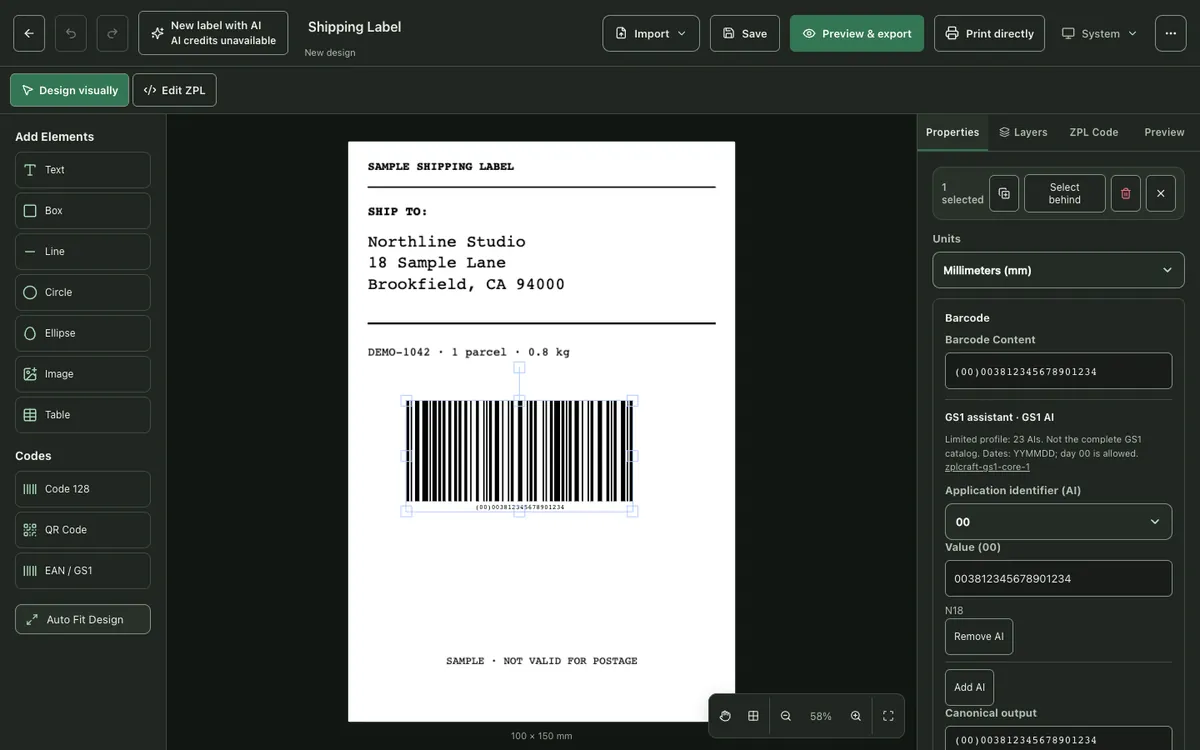
This label prints one of each common symbology on a 4-inch label at 203 dpi. Open it in the viewer to change the data and parameters and watch the barcodes update.
^XA
^PW812
^LL1000
^CI28
^CF0,28
^FO40,30^FDCode 128^FS
^BY2,3,90
^FO40,70^BCN,90,Y,N,N^FDSKU-100245^FS
^FO470,30^FDQR code^FS
^FO470,60^BQN,2,6^FDLA,https://example.com/p/100245^FS
^FO40,260^FDEAN-13^FS
^BY3
^FO40,300^BEN,90,Y,N^FD590123412345^FS
^FO470,260^FDData Matrix^FS
^FO470,300^BXN,8,200^FD100245-LOT7^FS
^FO40,500^FDGS1-128^FS
^BY2
^FO40,540^BCN,110,Y,N,N,D^FD(01)09520123456788(10)LOT7^FS
^FO40,730^FDPDF417^FS
^BY2
^FO40,770^B7N,6,3,,,N^FDORDER 100245 / 3 PARCELS^FS
^XZ
Open this barcode example in the ZPL viewer
Creating barcodes without writing ZPL
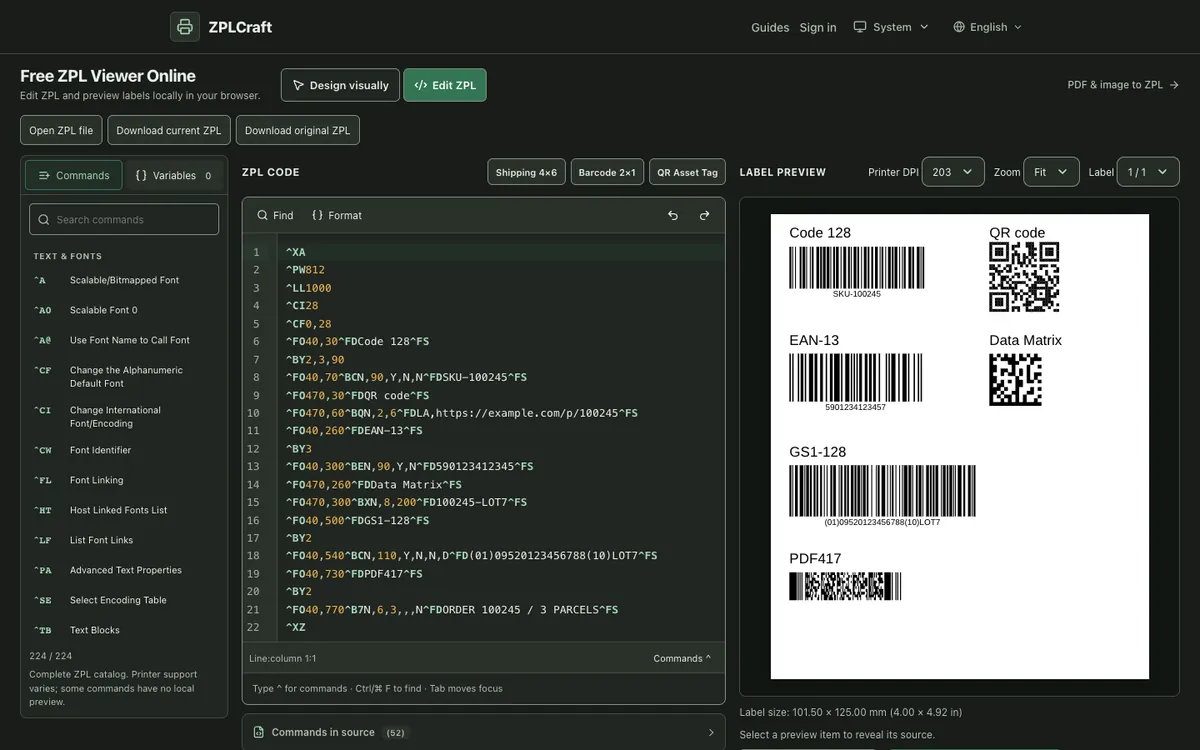
In the ZPLCraft designer, add Code 128, QR Code or EAN / GS1 from the Codes panel. The Properties panel exposes the same settings as the ZPL commands: symbology, content, module width and bar height in dots, and whether the human-readable text is shown. Keep barcode size fits changing values inside the current dimensions, which is useful when the content comes from a spreadsheet.
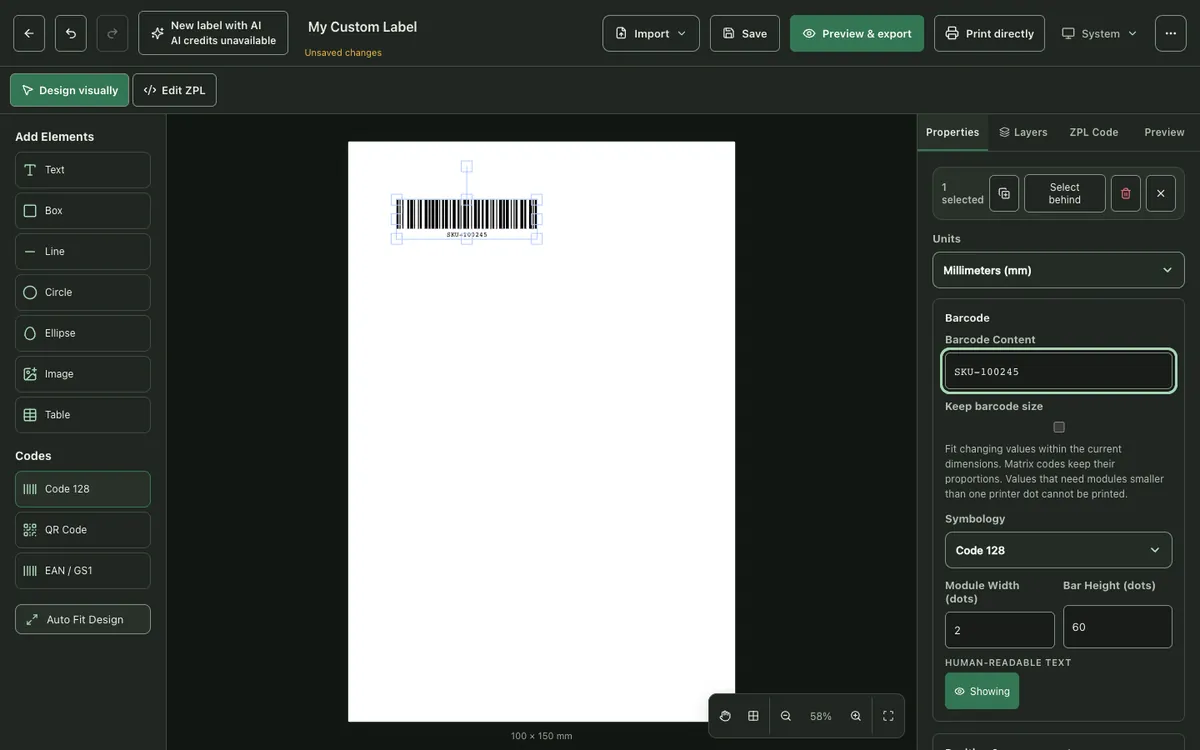
For GS1 barcodes, the GS1 assistant lets you pick each application identifier from a list, checks lengths and check digits, and shows the canonical output before it is applied.
How to Create a ZPL Label: Step-by-Step Tutorial →
Why a ZPL barcode does not scan
- Module width too small. One-dot modules at 203 dpi are 0.125 mm and many scanners cannot resolve them. Increase the module width in ^BY.
- Missing quiet zone. Linear barcodes need empty space on both sides, at least ten times the module width for Code 128. Keep text and boxes away from the bars.
- Barcode printed as an image. A barcode scaled as a bitmap can end up with bars of uneven width. Native ZPL barcode commands avoid this.
- Wrong printer resolution. ZPL written for 203 dpi prints at about two-thirds of the intended size on a 300 dpi printer, which can push modules below what a scanner reads.
- Print darkness or speed. Bars that bleed together or break up are often a darkness or speed setting on the printer, not a design problem.
ZPL barcode questions
How do I make a ZPL barcode bigger?
Increase the module width in ^BY for linear barcodes, the magnification in ^BQ for QR codes, or the module size in ^BX for Data Matrix. Increase the height parameter for taller bars. Width always changes in whole-dot steps.
Does the printer calculate check digits?
Yes for the symbologies that require one: Code 128 adds its check character automatically, and ^BE and ^BU calculate the EAN-13 and UPC-A check digit from the first 12 or 11 digits.
Which barcode should I use for a shipping label?
Follow the carrier’s specification. Carrier tracking barcodes are usually Code 128 or GS1-128, and many carriers add a 2D code such as MaxiCode or PDF417.
Can I preview ZPL barcodes without a printer?
Yes. The ZPL viewer renders Code 128, QR, EAN, UPC, Data Matrix, PDF417 and other common symbologies in your browser. A preview cannot prove scan performance, so test the printed label with the scanner you use.